Application Settings
Application Settings contains global CyberStore configuration for caches, retail-price handling, the Operation Agent, server behavior, and email communication. These settings apply to the application rather than to an individual site.
To open the window, select Tools > Application Settings in the Management Console.
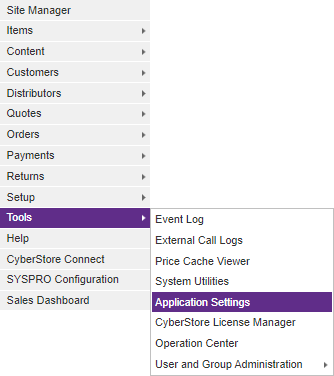
Application Settings includes application-wide configuration. Review the expected operational effect before rebuilding or clearing a cache, changing TLS settings, or updating email-server credentials.
Global Cache settings
Use the Global Cache tab to manage item-characteristic and pricing caches, as well as the suggested retail-pricing method.
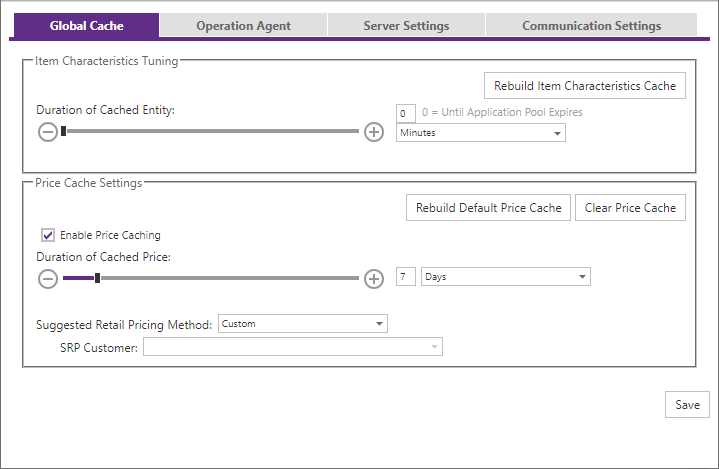
Cache actions and duration
| Setting or action | Description |
|---|---|
| Item Characteristic Tuning | Controls the Item Characteristic value cache. Rebuild Item Characteristic Cache deletes the cache and rebuilds it from current Item Characteristic values. |
| Item Characteristic cache duration | Sets the time to live for cached Item Characteristic data. Enter a value or use the slider, then choose the time basis. |
| Local Price Caching | Controls the local pricing-value cache. |
| Rebuild Default Price Cache | Deletes and updates cached pricing for the default customer of each site. CyberStore runs the BuildPriceCache operation for those default-customer numbers. |
| Clear Price Cache | Deletes the entire price cache so CyberStore can rebuild it when price caching is enabled. |
| Price cache duration | Sets the time to live for cached pricing data. Enter a value or use the slider, then choose the time basis. |
CyberStore prevents multiple instances of the price-cache-clearing operation from being triggered at the same time.
Suggested retail pricing method
The suggested retail pricing method controls how an item price is sourced. The default is Custom.
| Value | Behavior |
|---|---|
| List Price | Uses the item list price configured in SYSPRO. |
| Specific Customer Price | Uses the price for a selected customer. A customer must be specified as the source. |
| Custom | Allows any price value. Populate it by importing item data or by editing the item directly in Item Maintenance. |
Operation Agent
Use the Operation Agent tab to control the global Operation Agent setting.
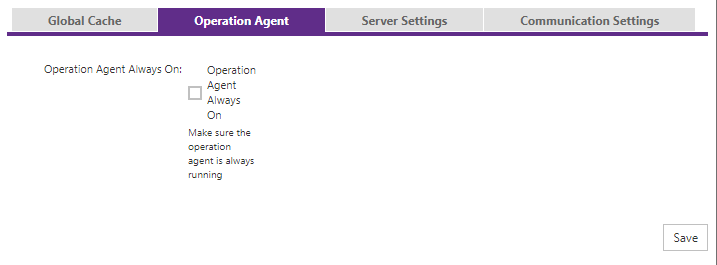
| Setting | Description |
|---|---|
| Operation Agent Always On | Checks whether the Operation Agent is running in memory. If it is not running, CyberStore attempts to start it. |
Server settings
Use the Server Settings tab for server-level configuration.
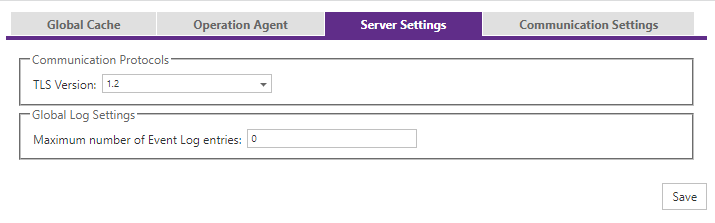
| Setting | Default | Description |
|---|---|---|
| Communication Protocols | 1.2 | Sets the TLS protocol version used by the CyberStore instance. |
| Global Log Settings | 5000 | Sets the maximum number of Event Log entries to retain. A value of 0 sets no maximum and is not recommended. |
Communication settings
Use the Communication Settings tab to configure application-wide email-server access and test the configured connection.
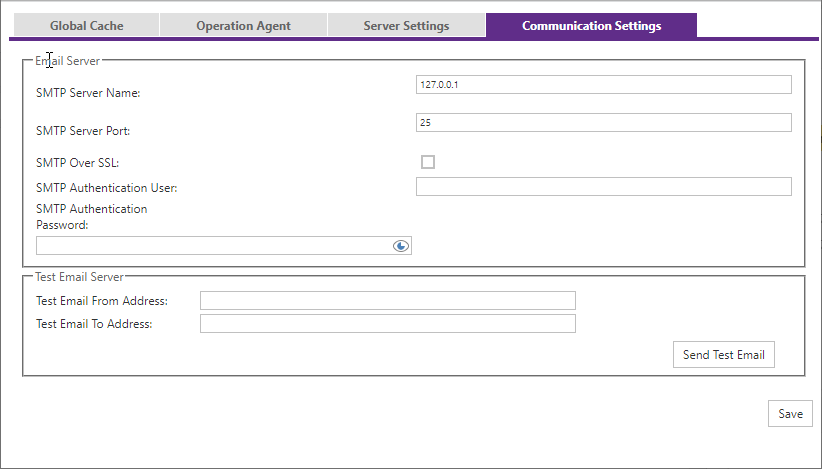
| Setting | Description |
|---|---|
| SMTP Server Name | The SMTP server address, as an IP address or hostname. |
| SMTP Server Port | The TCP/IP port that receives requests to send email. The default is 25. |
| SMTP Over SSL | Encrypts communication to and from the SMTP server when selected. |
| SMTP Authentication User | The authorized account used to authenticate with the SMTP server when the server requires it for relaying email. |
| SMTP Authentication Password | The password for the SMTP Authentication User. |
| Test Email Server | Lets you send a test message using the configured server. Enter From and To email addresses. |
Email communication settings are application-wide and are not adjustable by site. After changing any Application Settings value, select Save to apply the change.