Event Log
Use Tools > Event Log to review system-wide warnings, errors, alerts, and related event information.
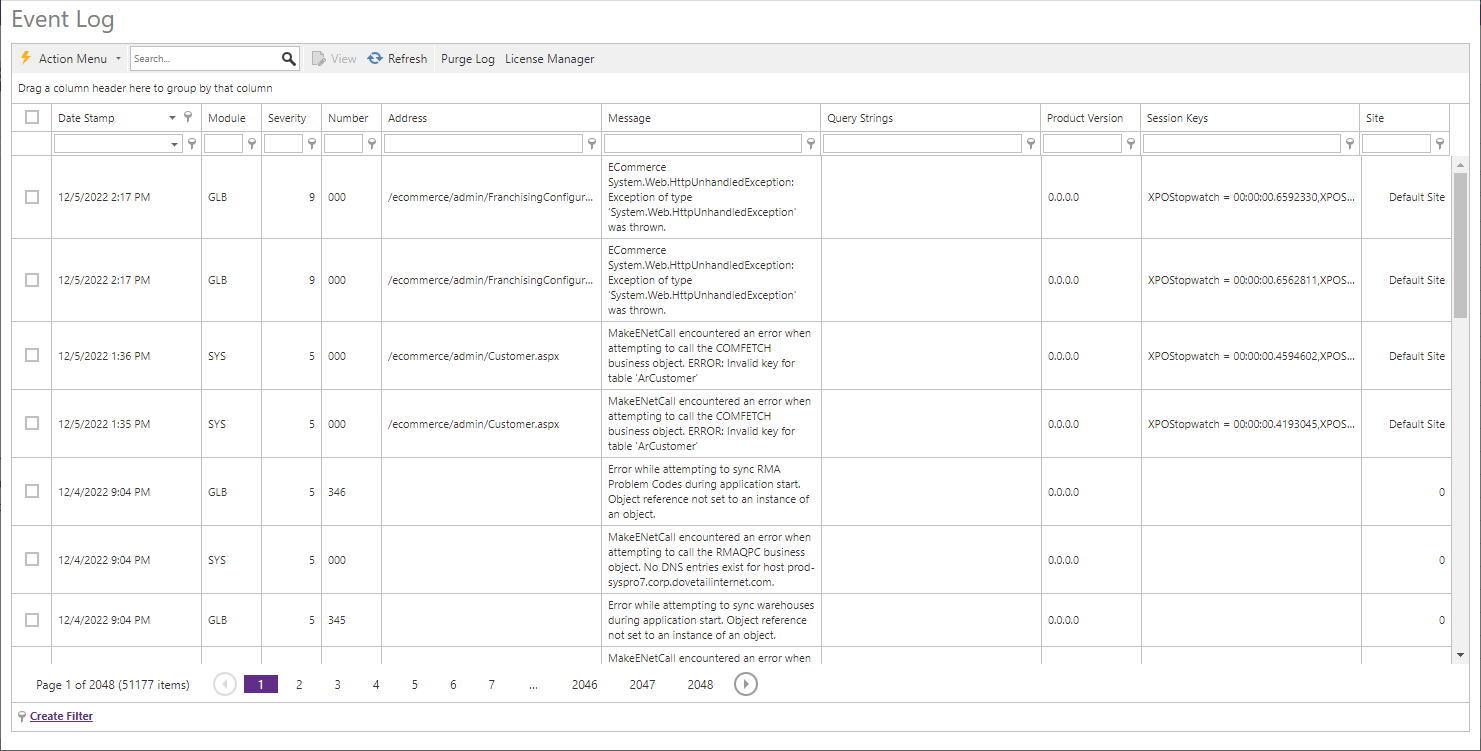
| Field | Description |
|---|---|
| Date Stamp | Date and time of the event. |
| Module / Severity / Number | Application layer, impact from 0 through 9, and event code. |
| Session Keys / Query Strings | Captured session and request-query values at the time of the event. |
| Product Version / Site | Product version and site where the event occurred. |
| Message | Event details. |
Use View for event details, search to filter entries, and Refresh for current events. Purge Errors from Database permanently clears the entire log. The Action menu can delete selected events or export them to XLSX, XLS, PDF, or CSV.