Site Scripts
Use the Site Scripts tab in Site Manager > Site Configuration to manage script libraries and inject HTML, JavaScript, or CSS at four positions on every site page.
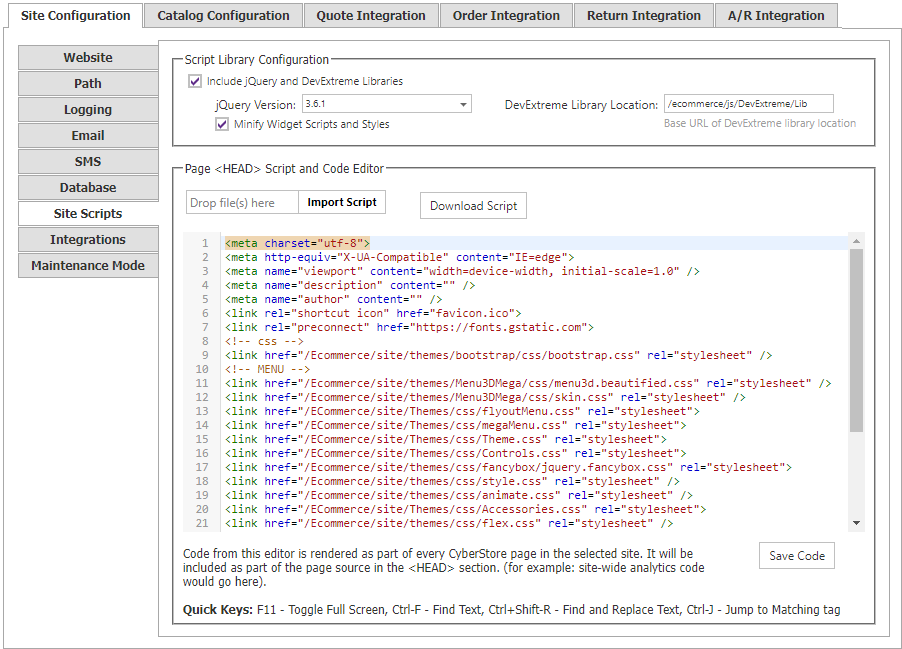
Script-library configuration
Enable the supported jQuery and DevExtreme libraries for the site. CyberStore recommends enabling them.
| Setting | Description |
|---|---|
| jQuery Version | Select the jQuery version from the supported-version list. |
| DevExtreme Library Location | Optional custom source location, such as a CDN, for DevExtreme library files. |
Script positions
Select the position where the code must be injected before editing it.
| Position | Placement |
|---|---|
| Head Start | At the beginning of the <head> element. |
| Head End | Immediately before the closing </head> tag. |
| Body Start | Immediately after the opening <body> tag. |
| Body End | Immediately before the closing </body> tag. |
Keep each dependency in the position required by its provider or implementation instructions. Test scripts outside production before publishing them site-wide.
Edit, import, and download code
The editor displays the code for the selected position.
- To import code, select Import Script and choose an
.htmlor.txtfile. - To edit code, make the changes directly in the editor.
- To save the selected section to the database and archive, select Save Code.
- To export the selected section, select Download Script.
Changes in the Site Scripts editor are saved only when you select Save Code at the bottom of the editor.
Rendering and archive behavior
CyberStore renders the four sections from the database during page generation. It also stores the sections in sitescripts.txt as JSON for backup and portability; the file is not the rendering source.
{
	"head": {
		"start": "<script>console.log('Head Start');</script>",
		"end": "<script>console.log('Head End');</script>"
	},
	"body": {
		"start": "<script>console.log('Body Start');</script>",
		"end": "<script>console.log('Body End');</script>"
	}
}
When CyberStore detects an older sitescripts.txt file containing only plain-text Head Start code, it converts the file to the four-section JSON structure and leaves placeholders for the other positions.
Google services
Google Analytics and Google reCAPTCHA configuration is maintained on the Integrations tab, not in Site Scripts.