Using Item Lists on the Storefront
A signed-in shopper can use Item Lists to return to known products without navigating their Categories again. The storefront separates shared Customer lists from lists that belong to the shopper’s Account.
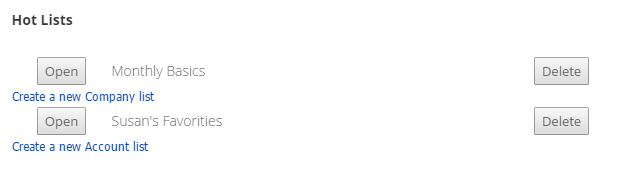
Customer Item Lists appear first, followed by Account Item Lists. Open a list to review the products it contains.
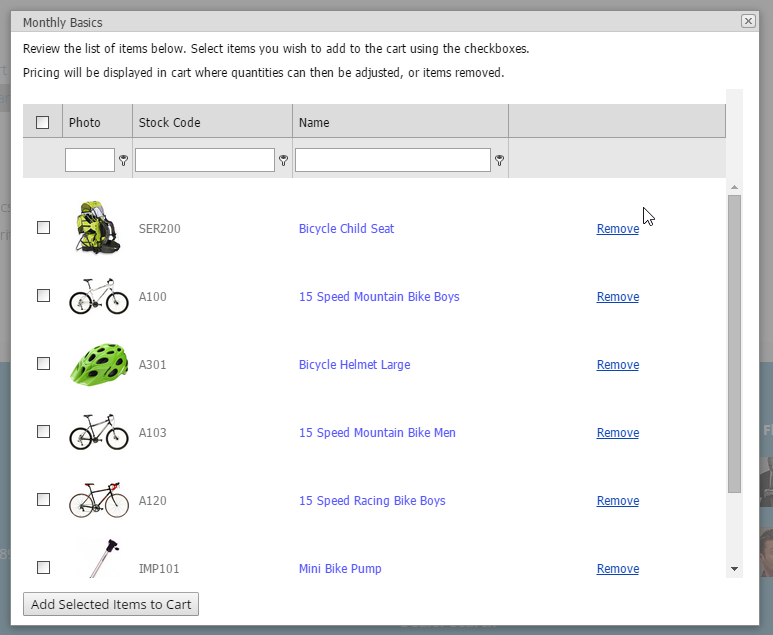
Selecting an individual product opens its item-detail page. To add several listed products at once, select the checkbox beside each required item and choose Add Selected Items to Cart.
CyberStore adds each selected item with a quantity of one in its default unit of measure. The shopper should then review the Cart, confirm current pricing, and adjust quantities as needed before continuing.
List membership simplifies product selection, but it does not freeze price, quantity, or other current purchasing conditions. Those values are evaluated when the shopper works with the Cart.