Customer Class Defaults and Pricing
Use the Settings tab to set defaults for new accounts, Available to Promise behavior, and pricing presentation for the class.
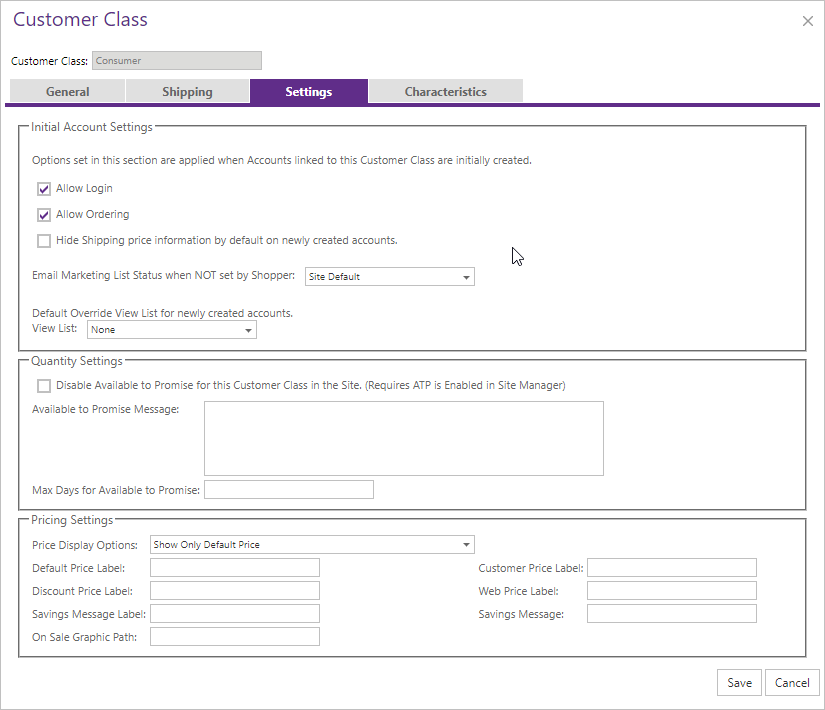
| Area | Description |
|---|---|
| New Account Defaults | Controls ordering, shipping-price visibility, and default View List override. |
| Available to Promise | Can disable site ATP, set a class message using [Qty], [UOM], [StockCode], [RequestedDate], and [RequestedEndDate], and override maximum days. |
| Price Display Options | Default only, customer only, both, shopper-controlled, default plus shopper-controlled, or hidden. The lowest price is added to the cart even if it is not shown. |
| Pricing Labels | Customer Class labels override Site Manager labels; front-end pricing-control properties override class labels. |