Hot Spots
Use the Hot Spots tab to place locations on the diagram and associate each location with an item.
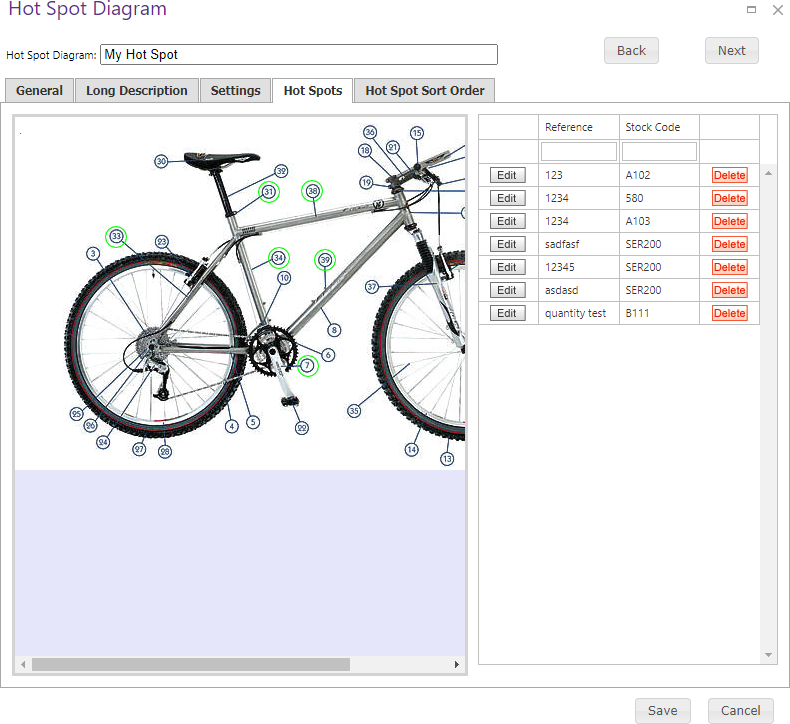
Click the center of the desired location on the diagram to capture its position, then add or edit the hot spot details.
| Field | Description |
|---|---|
| Reference | Reference number for the hot spot. |
| X Coordinates | Horizontal pixel location, measured from the diagram’s top-left corner. |
| Y Coordinates | Vertical pixel location, measured from the diagram’s top-left corner. |
| Stock Code | Item linked to the hot spot. |
| Description | Description of the hot spot. |
| Required Quantity | Minimum quantity required to purchase the linked item from the hot spot interface. |
Save after adding or changing a hot spot.