General Order Settings
Use the General tab in Site Manager > Order Integration to set sales-order types, cancelled-order handling, confirmation presentation, and order-status display.
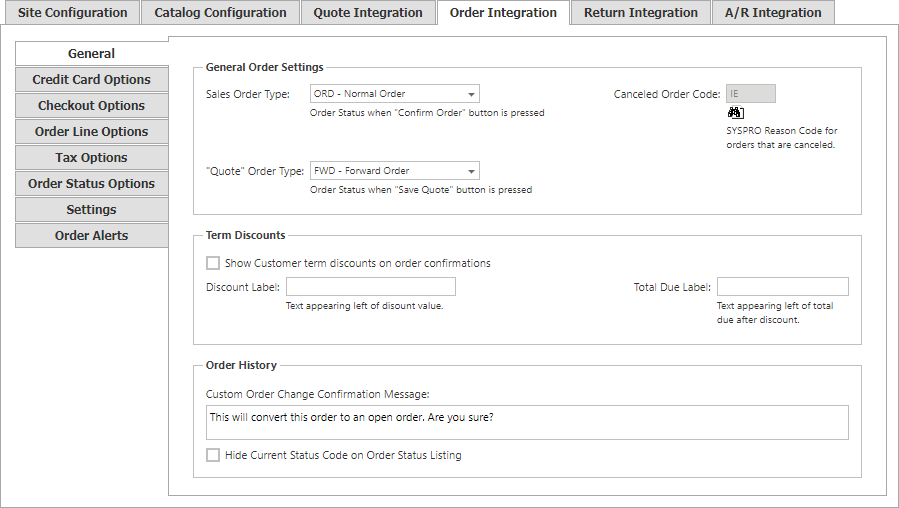
| Setting | Description |
|---|---|
| Canceled Order Code | SYSPRO code used for cancelled orders. |
| Sales Order Type | Order type used when the shopper selects Confirm Order: Operator Default, Normal Order, Forward Order, Scheduled Order, Inter Branch Transfer, or Billing. |
| Quote Order Type | Order type used when the shopper selects Save Quote. It supports the same choices as Sales Order Type. |
| Show Customer term discounts on order confirmations | Displays customer-term discounts on the order confirmation. |
| Discount Label | Text displayed beside the discount value. |
| Total Due Label | Text displayed beside the total due after discount. |
| Custom Order Change Confirmation Message | Confirmation text displayed when a shopper converts a quote into an order. |
| Hide Current Status Code on Order Status Listing | Hides the current status code in the order-status listing. |