Item Accessories
Use the Accessories tab to associate complementary items with the current item and control the accessory information shoppers see.
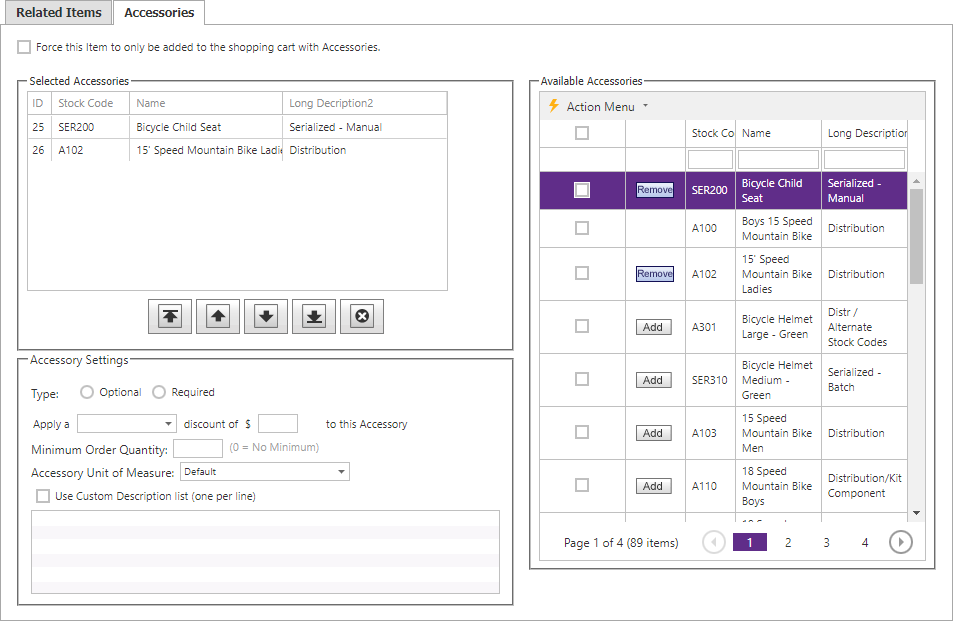
| List or setting | Description |
|---|---|
| Selected Accessories | Accessories already associated with the current item. |
| Available Accessories | Other items available to associate as accessories. |
| Discount | The discount configured for an individual selected accessory. |
| Displayed UOM | The unit of measure shown for that accessory. |
| Description | The accessory description presented with the association. |
Move accessories between the available and selected lists, then configure the settings for each selected accessory as needed.