Distributor Settings
Use the Distributor Settings tab in Site Manager > Catalog Configuration to control the messages and distance limits used for distributor availability and search results.
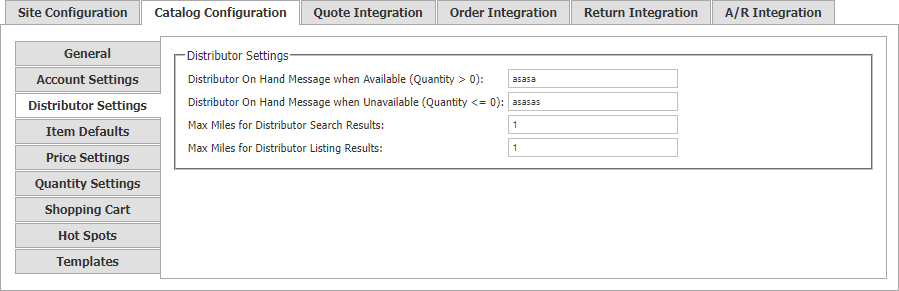
| Setting | Description |
|---|---|
| Distributor On Hand Message when Available (Quantity > 0) | Message shown when a distributor’s on-hand quantity is greater than zero. |
| Distributor On Hand Message when Unavailable (Quantity <= 0) | Message shown when a distributor’s on-hand quantity is zero or less. |
| Max Miles for Distributor Search Results | Maximum distance included in a distributor search. |
| Max Miles for Distributor Listing Results | Maximum distance displayed in a distributor result listing. |
These limits control which distributor results the storefront presents; they do not create or correct distributor coordinates. Configure mapping keys under Site Configuration > Integrations, and maintain distributor location data through the Distributors Menu.