ItemsBoughtWith_Listing Widget
The ItemsBoughtWith_Listing widget lists items that other shoppers bought with the current item. The current item’s stock code is normally determined from the item-detail page URL.
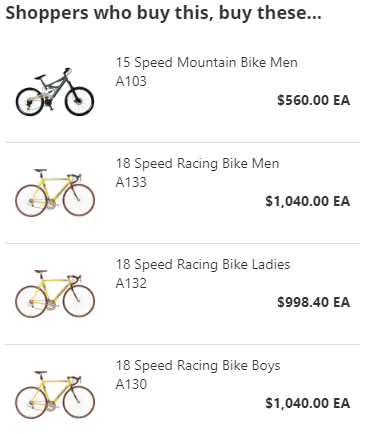
Add the widget to an item page
<Control src="LoadWidgetControl.ascx"
    FileLocation="ItemsBoughtWith_Listing.html"
    Options="maxItemsToShow: 10,
        headlineText: 'Shoppers who buy this, buy these...'" />
Widget options
| Option | Default | Valid values or format | Effect |
|---|---|---|---|
maxItemsToShowNumber | 10 | Positive integer | Limits the number of related items shown. |
widgetHeightString | '100%' | Percentage or pixels | Sets the list height and allows scrolling when needed. |
headlineTextString | 'Shoppers who buy this, buy these...' | Text | Sets the listing heading. |
stockCodeString | Not specified | Stock code | Overrides the item determined from the page URL. |
photoWidthNumber | 80 | Pixels | Sets item-photo width while retaining proportional height. |
photoAltTextString | Stock code and item name | Text | Sets the item-photo alternative text. |
pictureNotFoundImageUrlString | Site photo-not-found image | Image path | Sets the placeholder for unavailable item photos. |
photoCssClassString | Not specified | CSS class name | Sets the class for the item-photo element. |
detailsCssClassString | Not specified | CSS class name | Sets the class for the detail element. |
priceCssClassString | Not specified | CSS class name | Sets the class for the price element. |
Validate recommendations
- Open an item-detail page with purchase-history associations.
- Confirm the listing is based on the current item, or on the configured
stockCodeoverride. - Verify the item count, heading, photo fallback, and item links.
- Confirm displayed item prices and availability match current catalog rules.