Customer Class General Settings
Use the General tab to define catalog access and checkout options for members of the Customer Class.
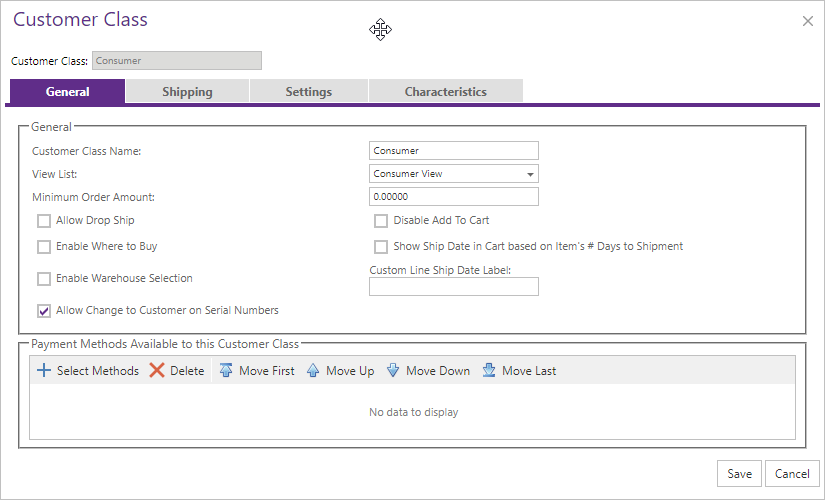
| Setting | Description |
|---|---|
| View List | Items class members can browse. |
| Minimum Order Amount | Pre-tax amount required to place an order. |
| Allow Drop Ship | Lets on-file shoppers enter a one-time shipping address. |
| Add to Cart / Where To Buy | Controls item purchase and dealer-locator availability. |
| Ship Date and Warehouse Selection | Controls cart ship-date display and shopper warehouse selection. |
| Payment Methods | Selects and orders methods available to the class. |
For ACH invoice payments through Authorize.Net or TranSafe, select the Bank Account payment method for each Customer Class that can use it. Removing the method from a Customer Class removes the Bank Account option from invoice payment for that class.
Customer Classes also provide the default permission for updating saved B2B shipping addresses. The site-wide setting under Site Manager > A/R Integration must allow shipping-address updates before a class or Account can use that capability. See Shipping Address Maintenance for the permission hierarchy.