CatalogItemSKUListingControl
CatalogItemSKUListingControl displays a shopper-selectable list of SKUs that is not auto-generated. It was introduced in v2.7.
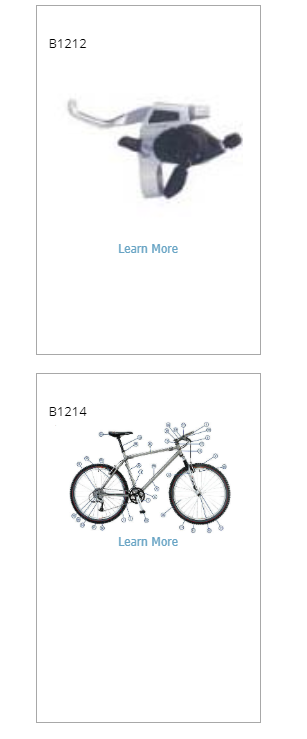
Configurable properties
| Property | Default | Valid values or format | Effect |
|---|---|---|---|
CurrentPageNot specified | Not specified | Sets the current page. | |
LearnMoreLinkCSSClassString | "LearnMoreLink" | Sets the CSS class for the Learn More link. | |
LearnMoreLinkTextString | "Learn More" | Sets the Learn More link text. | |
PageSizeInteger | see ComConfig.CatalogListingPageSize | Sets the page size. | |
photoLocationString | see UsePhoto | Sets the photo location. | |
PhotoWidthInteger | 0 | Sets the photo width. | |
ShowTileBorderBoolean | true | true, false | Controls tile-border display. |
SKUSortOrderString | "SortOrder" | Sets the SKU sort order. | |
TileHeightInteger | 350 | Sets the tile height. | |
TileWidthInteger | 225 | Sets the tile width. | |
UsePhotoString | "Photo1" | "Photo1", "Photo2" | Selects the photo to use. |
SitePages.config example
The following example loads CatalogItemSKUListingControl.ascx and applies the documented literal defaults. The following properties are omitted because they do not have documented literal defaults: CurrentPage, PageSize, photoLocation.
<Control src="CatalogItemSKUListingControl.ascx"
         LearnMoreLinkCSSClass="LearnMoreLink"
         LearnMoreLinkText="Learn More"
         PhotoWidth="0"
         ShowTileBorder="true"
         SKUSortOrder="SortOrder"
         TileHeight="350"
         TileWidth="225"
         UsePhoto="Photo1" />
Add this <Control> element to the appropriate page placeholder as described in The SitePages.config File.
Inherited properties
CatalogItemSKUListingControl inherits listing behavior from ListingControl and shared conditions from CyberStoreBaseControl.