Characteristic Values
Use the lower Characteristics grid in Setup > Characteristics to define the characteristics and values used by the selected family.
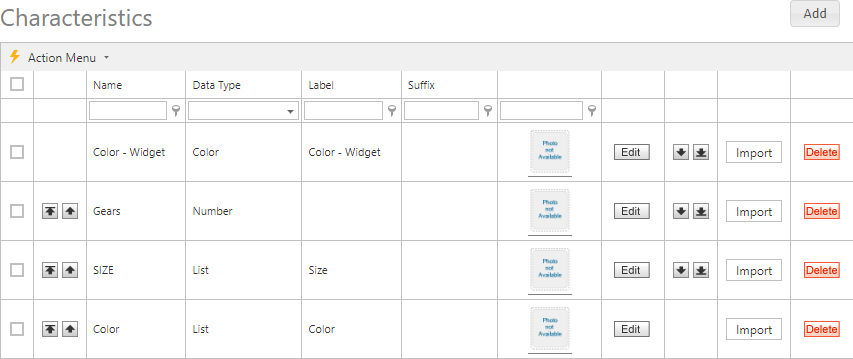
| Field | Description |
|---|---|
| Name | Characteristic name. |
| Data Type | Type of characteristic value to store. |
| Label | Text displayed to the left of a characteristic value. |
| Suffix | Text displayed to the right of a value, such as in. |
| Image | Image used to represent the characteristic visually. |
| Order | Sequence of the characteristic within the family. |
Use Add or Edit to change a characteristic. Deleting a characteristic permanently removes it and its information after confirmation. A row context menu applies to one row; the Action menu supports bulk deletion and export to XLSX, XLS, PDF, or CSV.
Import values
Use Import to load characteristic values in bulk.
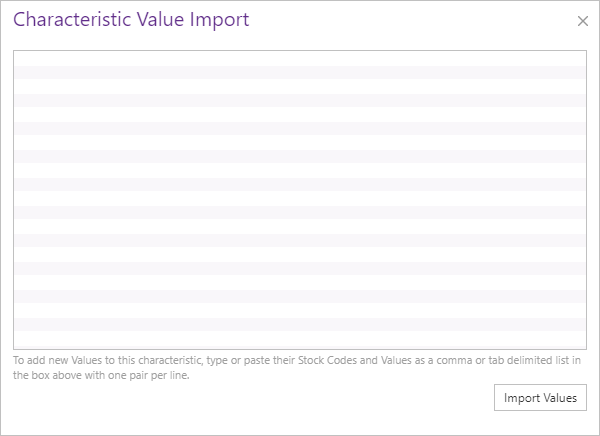
Enter or paste stock-code/value pairs as comma- or tab-delimited data. Put one pair on each line, with the stock code to the left of the characteristic value, then select Import Values.
Use the Item Characteristic Data Worksheet to organize multiple Characteristic columns, then copy the applicable adjacent stock-code/value pair into this import area.