SYSPRO Operator and Group Setup
Create a dedicated SYSPRO operator group and operator for CyberStore. CyberStore uses this identity to read SYSPRO data and write supported transactions through e.net.
The permissions assigned to the CyberStore operator affect the data and transactions available to website users. Grant only the e.net and program permissions required by CyberStore.
Create the operator group
The legacy configuration uses an operator group named WEB.
- Open the SYSPRO group-maintenance area.
- Create the dedicated CyberStore operator group.
- Assign access to the approved e.net business components and programs.
Use the supported-business-object inventory to determine the required components.
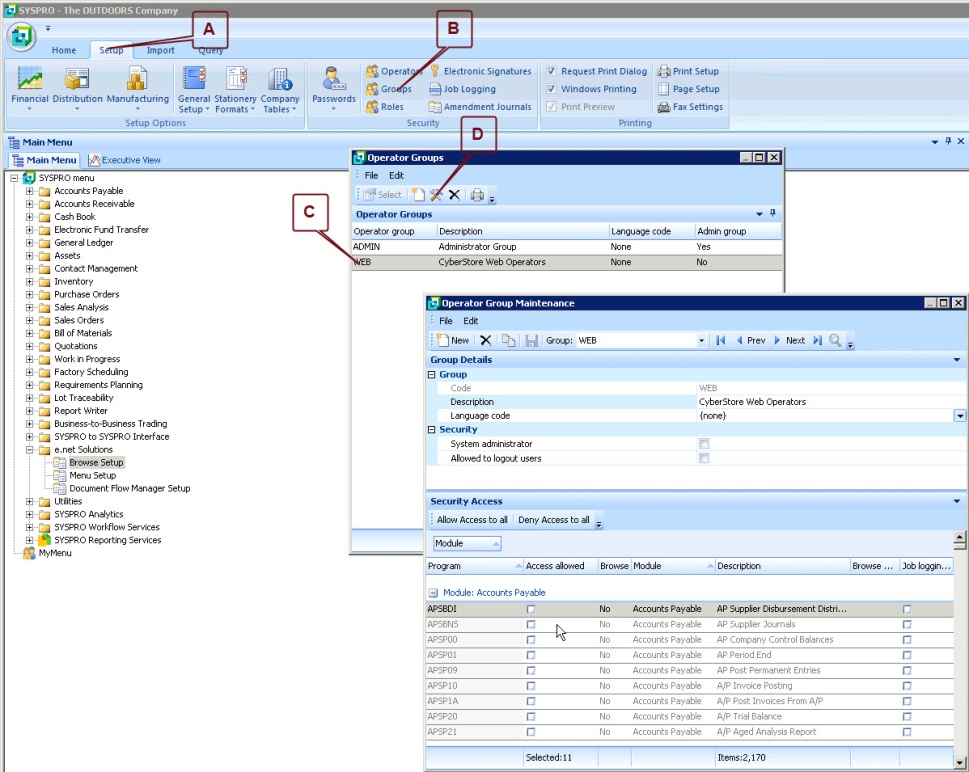
The SYSPRO Operator Groups list and Operator Group Maintenance window for the WEB group.
Configure group permissions
In the group-maintenance interface, search for the required program and enable it. The legacy procedure uses Ctrl+F to search and gives SORTOI as an example.
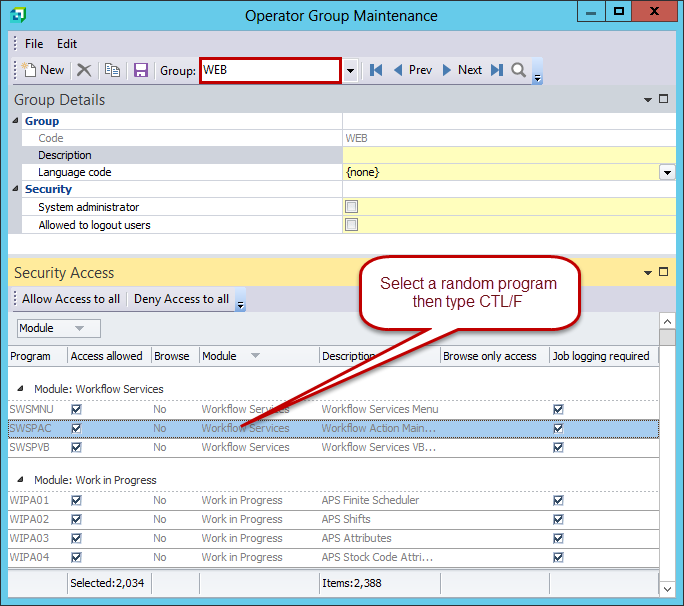
Select a program in the Security Access list, then use Ctrl+F to open the program search.
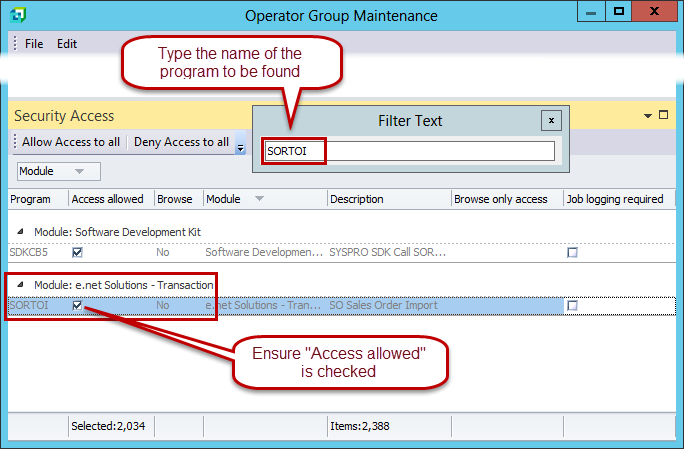
The SORTOI program shown in the e.net Solutions - Transaction module with Access allowed selected.
Object names shown in parentheses may be informational only and might not be searchable programs.
Create the CyberStore operator
Create a dedicated SYSPRO operator and assign it to the CyberStore operator group. The legacy procedure uses an operator named WEB.
Set a password for the operator and maintain the CyberStore connection credentials whenever the SYSPRO credentials change.