CustomerFileUploadControl
CustomerFileUploadControl lets signed-in shoppers upload one or more files.
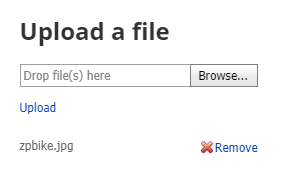
Configurable properties
| Property | Default | Valid values or format | Effect |
|---|---|---|---|
AllowedFileExtensionsNot specified | Not specified | Sets the comma-separated list of permitted file extensions. | |
MaxFileSizeNot specified | Not specified | Sets the maximum upload file size. | |
NotLoggedInMessageTextNot specified | Not specified | Sets the message displayed to a shopper who has not signed in. | |
RequireLoginNot specified | Not specified | Controls whether login is required to load the control. | |
UploadedFileListNot specified | Not specified | Exposes the uploaded-file list. | |
UploadFileHeaderTextNot specified | Not specified | Sets the upload form heading. |
SitePages.config example
The following example loads CustomerFileUploadControl.ascx and applies the documented literal defaults. The following properties are omitted because they do not have documented literal defaults: AllowedFileExtensions, MaxFileSize, NotLoggedInMessageText, RequireLogin, UploadedFileList, UploadFileHeaderText.
<Control src="CustomerFileUploadControl.ascx" />
Add this <Control> element to the appropriate page placeholder as described in The SitePages.config File.
Inherited properties
CustomerFileUploadControl inherits shared conditions from CyberStoreBaseControl.