Distributors Menu
Use the Distributors menu in the Management Console to maintain distributor information loaded into CyberStore.
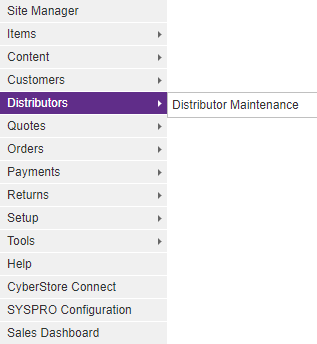
When CyberStore is loaded with distributor information, it can present that data to site visitors through a searchable interface that helps them find locations where they can purchase products. Maintain the underlying distributor information before exposing the search experience.
Maintain distributor location data
Distributor records store latitude and longitude for distance-based searches and map display. When a distributor is added or edited, CyberStore attempts to retrieve coordinates from its address.
The coordinate source affects precision:
- A configured Google Maps or Bing Maps service can return precise address-based coordinates.
- Without a configured mapping service, CyberStore can estimate U.S. coordinates from its ZIP-code database.
- A caution indicator in the Geolocation column identifies an estimated location.
Select a distributor’s Geolocation value to review its position on a map when a mapping service is configured. Configure provider keys under Site Configuration > Integrations.
Update multiple locations
Use the Distributor grid to refresh location data for more than one record:
- Select the distributors whose coordinates must be refreshed.
- Open the Action Menu and select Update Location.
- Review the confirmation and proceed with the update.
- Check the Geolocation column for precise or estimated results.
The update uses a configured mapping service when one is available; otherwise it uses the ZIP-code estimate for eligible U.S. addresses.
Link a distributor to a customer
The customer selection field includes a clear action that removes the distributor’s customer association. The Address Code field is enabled only when a customer is assigned or manually selected. Clearing the customer disables Address Code until another customer is selected.
Validate the storefront search
After maintaining locations, test the Dealer Search with an address near a known distributor. Confirm that the expected dealer is inside the configured result radius and that estimated locations are acceptable for the intended search experience.
For bulk synchronization of distributor Customer data from SYSPRO, use the Update Distributors from SYSPRO Operation.