Account Transformation Override
Most Accounts should use the PunchOut transformation selected for their Customer. Use an Account override only when a particular buyer or procurement relationship requires a different XSLT output format.
Open Customers > Account Maintenance, edit the Account, and use the Settings tab.
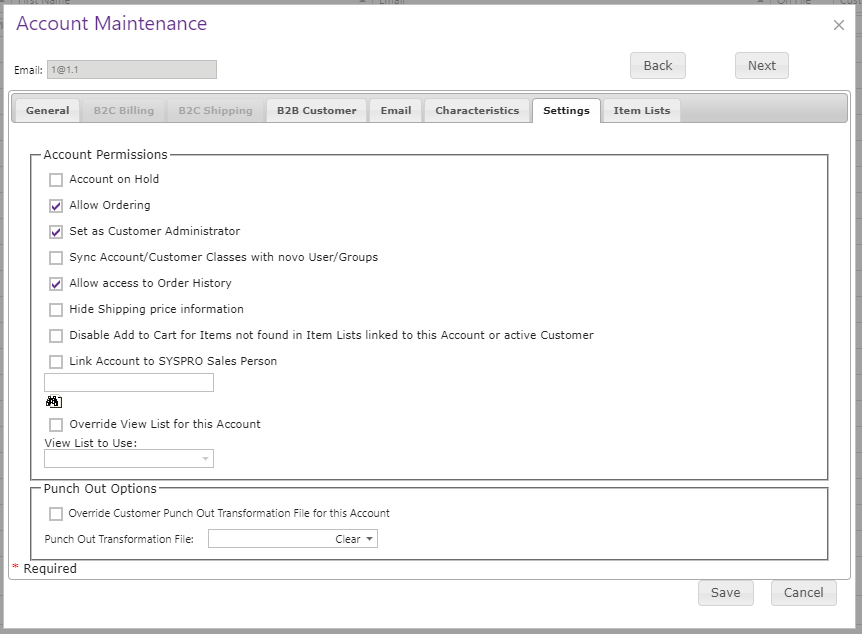
Enable Override Customer Punch Out Transformation File for the Account, then select the required Punch Out Transformation File. PunchOut must still be enabled on the Customer; the Account setting changes the transformation choice but does not enable the feature independently.
Before applying an override, verify that the selected XSLT is intended for that Account’s receiving system. Test a complete PunchOut session and confirm that the returned cart uses the Account transformation while other Accounts continue to use the Customer default.