General Return Settings
Use the General tab in Site Manager > Return Integration to set the default return behavior for stocked, non-stocked, and serialized items.
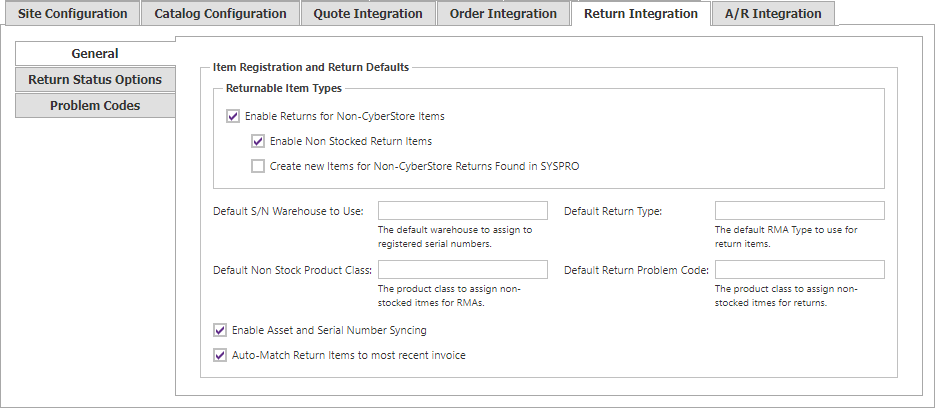
| Setting | Description |
|---|---|
| Enable Returns for Non-CyberStore Items | Lets non-CyberStore items be added to returns. |
| Enable Non Stocked Return Items | Lets non-stocked items be submitted in returns. |
| Create new Items for Non-CyberStore Returns Found in SYSPRO | Creates a CyberStore item when the non-CyberStore stock code exists in SYSPRO. |
| Default S/N Warehouse to Use | Default warehouse assigned to registered serial numbers. |
| Default Return Type | Default return type used for return items. |
| Default Non Stock Product Class | Product class assigned to non-stocked items for RMAs. |
| Default Return Problem Code | Problem code used by default for returns. |
| Enable Asset and Serial Number Syncing | Synchronizes assets whose serial numbers match SYSPRO serial numbers. |
| Auto-Match Return Items to most recent invoice | Finds the most recent invoice containing the returned item and associates the return with that invoice. |
Site Manager changes take effect immediately. A confirmation mark appears next to the changed field and disappears when the change is saved.