WCF Service Installation
Install SYSPRO WCF Services from the SYSPRO server-installation options.
- Start the SYSPRO installation media and select Server Installation.
- Select SYSPRO WCF Services, then start the installation.
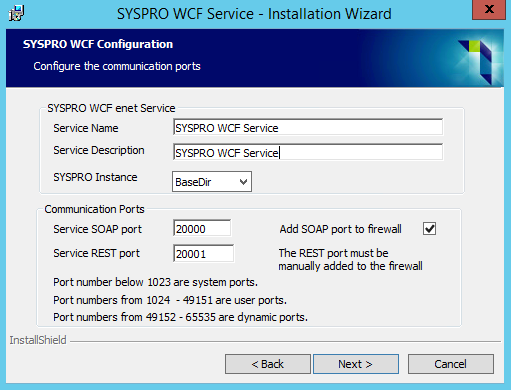
- In the installation wizard, enter a service name and description.
- Set the SOAP and REST communication ports required by the deployment.
- Select the installation directory and complete the wizard.
The legacy installation uses SOAP port 20000 and REST port 20001. These are defaults in the shown wizard; the ports are configurable and must be available through the server firewall.
Continue with WCF service configuration to connect CyberStore to the installed service.