Resetting Machine Keys in IIS for CyberStore Applications
Overview
CyberStore’s /Ecommerce and /Console applications must share the same <machineKey> to support cross-application login and secure session handling. For secure deployments, especially those involving eCommerce transactions and payments, it’s critical to use strong cryptographic settings and ensure the keys are generated and synchronized properly.
This guide walks you through:
- Generating secure machine keys
- Applying the same key to both apps using IIS Manager
- Choosing the strongest available Validation and Encryption methods
Why You Need a Shared Machine Key
ASP.NET uses the <machineKey> for:
- Encrypting and signing authentication cookies
- Protecting ViewState and other secure data
If /Ecommerce and /Console use different keys:
- Users will be logged out when switching between apps
- Authentication tokens and encrypted data will fail to validate
How to Access Machine Key Settings in IIS
- Open IIS Manager (
inetmgr) - In Connections, expand the Sites tree to the root of your CyberStore site, then select
Ecommerce - Double-click Machine Key in Features View
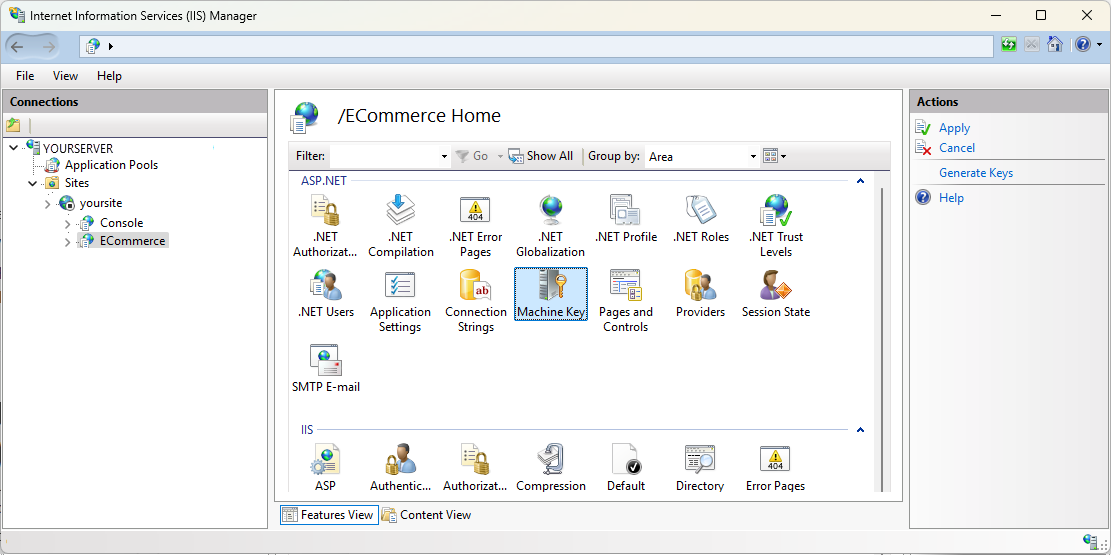
Step 1: Generate a New Secure Machine Key
-
In the Machine Key feature pane:
- Uncheck: Automatically generate at runtime
-
Set the following:
- Validation method:
HMACSHA512 - Encryption method:
AES
- Validation method:
- Click Generate Keys once.
- Click Apply in the right-hand Actions panel.
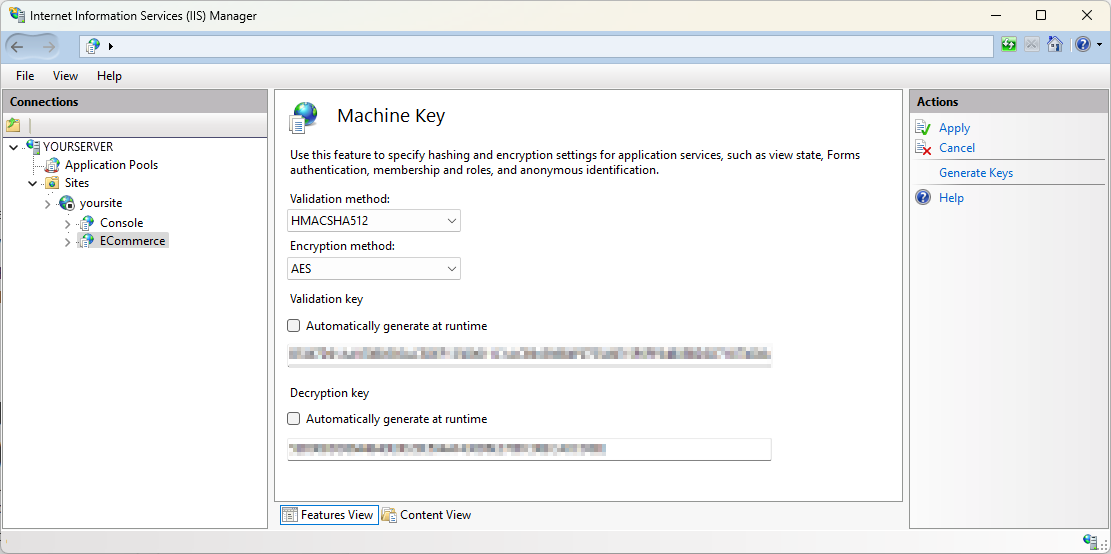
Copy the generated values for
Validation keyandDecryption key.
Step 2: Apply the Same Key to /Console
- In Connections, in the same Site, go to
Console - Open the Machine Key feature
-
Repeat the same settings:
- Uncheck ‘Automatically generate at runtime’
- Manually paste the Validation key and Decryption key from
/Ecommerce - Set Validation method:
HMACSHA512 - Set Encryption method:
AES
- Click Apply
Ensure both applications use identical keys and algorithms.
Step 3: Restart Both Applications
To apply changes:
- Go to Application Pools
- Recycle the app pools used by CyberStore
Or, using Command Prompt (Admin) use:
C:> iisreset
Recommended Settings
| Setting Type Recommended Value | |
|---|---|
| Validation Method | HMACSHA512 (default) |
HMACSHA256 (fallback) | |
| Encryption Method | AES |
For a fuller discussion of validation methods, see: Machine Key Validation Method Settings for CyberStore
System Compatibility Considerations
| Requirement Detail | |
|---|---|
| .NET Framework | Must be 4.0 or later to support HMACSHA512 |
| App Pool Runtime | Must use .NET CLR v4.0.30319 and Integrated mode |
| Third-party integrations | Ensure compatible with stronger hash algorithms |
| Web Farm Environments | All nodes must use the same key and algorithm |
This document is copyrighted by Dovetail Internet Technologies, LLC., the developers of CyberStore (www.CyberStoreForSYSPRO.com).