SYSPRO Operator Defaults
Configure the CyberStore operator defaults so CyberStore can retrieve data and create supported sales orders in the intended SYSPRO company.
Set the default company
Assign the default company for the CyberStore operator. CyberStore uses this company for inventory and customer information.
Set warehouse visibility
Configure the operator’s warehouse selection so it includes the warehouses that can fulfill CyberStore orders.
An item must be available in a warehouse visible to the CyberStore operator before a shopper can submit an order for it.
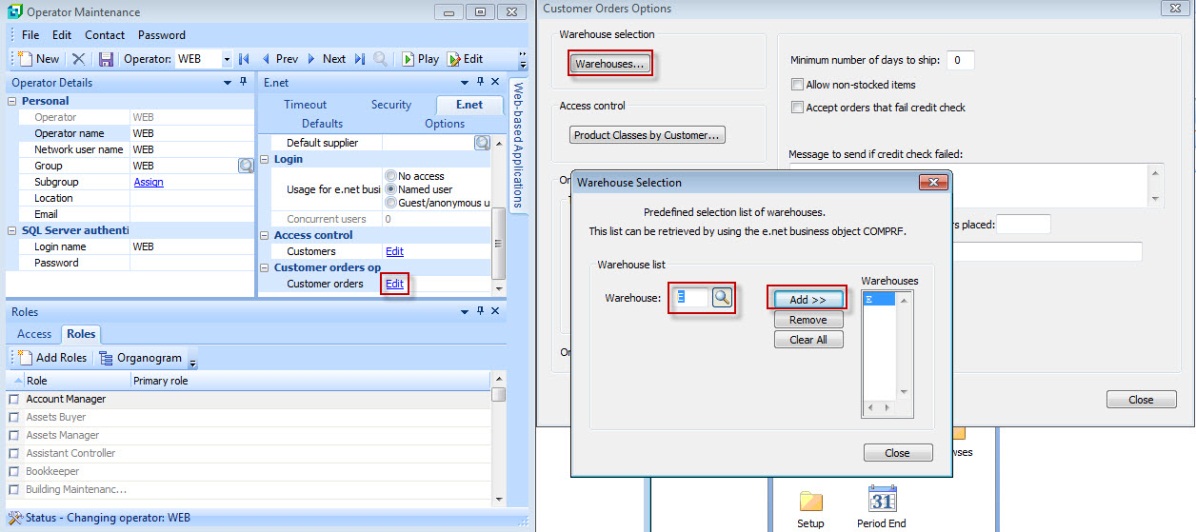
Operator Maintenance with Customer orders options and the Warehouse Selection window.
Configure the default web customer
For B2C purchases, create the default web customer used for sales orders submitted from CyberStore. The legacy guidance requires a valid branch, salesperson, invoice terms, and currency code for this customer.
CyberStore associates order shipping details with the individual SYSPRO sales order.
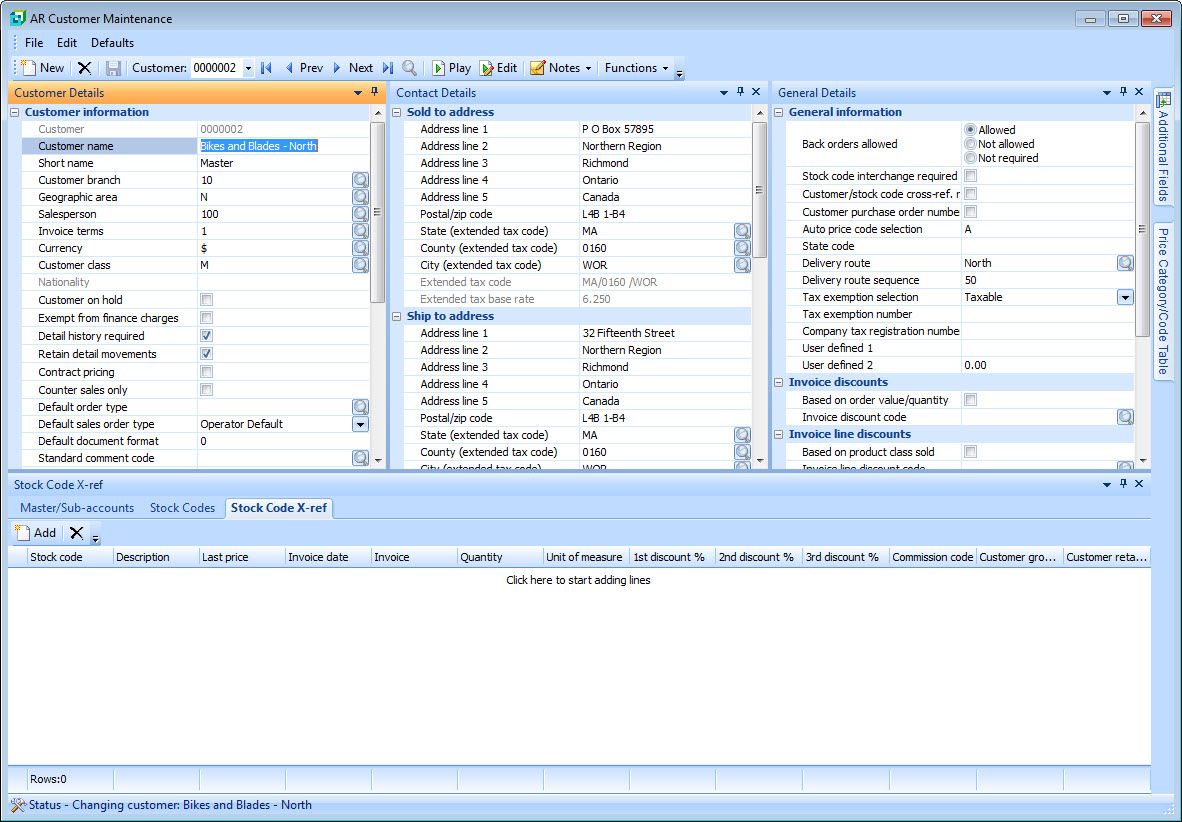
AR Customer Maintenance for the customer used by CyberStore web orders.
Set the default order type
Set the SYSPRO default sales-order type required for CyberStore. If the SYSPRO configuration requires order-type validation and no default is configured, CyberStore sales orders can fail to post.