Payment Method General Settings
Use the General tab to configure a checkout payment method.
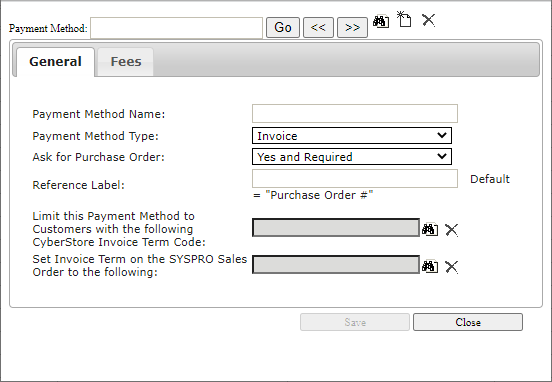
| Setting | Description |
|---|---|
| Payment Method Name | Name shown during checkout. |
| Payment Method Type | Invoice, Credit Card, or Bank Account. The Bank Account option supports ACH invoice payments through Authorize.Net or TranSafe. |
| Ask for Purchase Order | Yes, Yes required, or No. |
| Reference Label | Label displayed beside the purchase-order field. |
| Invoice Term restriction | Limits visibility to customers whose CyberStore Invoice Term Code matches the selected term, when the method is also selected for their Customer Class. |
| SYSPRO Invoice Term override | Invoice term passed to SYSPRO when the method is selected. |