Warehouse Selection
When CyberStore creates a sales-order line, the normal default is to leave its warehouse unspecified so SYSPRO business logic and back-office procedures determine fulfillment. Customer, item, Account, and shopper settings can override that default.
Warehouse precedence
When more than one rule supplies a warehouse, the more specific applicable rule takes precedence.
| Priority | Source | Condition |
|---|---|---|
| 1 | Shopper selection | The Customer Class permits warehouse selection and the shopper has selected a warehouse for the cart item. |
| 2 | Account default | Use Account Warehouse is enabled and the Account has a Default Warehouse to Use. |
| 3 | Item warehouse | The item is configured to override the warehouse and has a Warehouse to Use. |
| 4 | Customer default | Use customer default warehouse is enabled for the active Customer. |
| 5 | SYSPRO/default processing | No CyberStore rule supplies a warehouse, so the sales-order line does not specify one. |
The shopper’s saved choice for a cart line remains selected when the interface is presented again. If the shopper has not made a choice, the interface preselects the warehouse produced by the Account, item, and Customer rules. Selecting No preference returns the line to the applicable default behavior.
Enable shopper selection
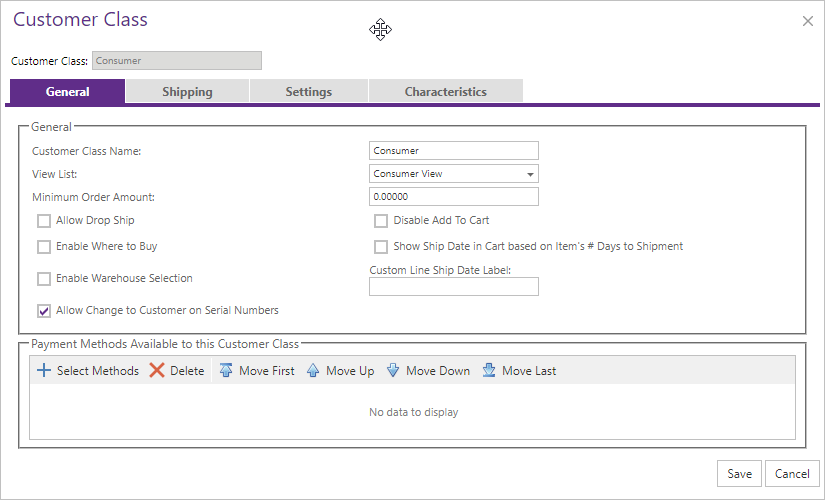
Use Customers > Customer Class Maintenance > General to make warehouse selection available to members of a class. The feature is disabled unless enabled for the active class.
| Setting | Shopper effect |
|---|---|
| Allow Warehouse Selection | Allows the shopper to request a ship-from warehouse or leave the choice unspecified. |
| Item warehouse surcharge | Can add a fee when the shopper selects a warehouse other than the default determined by the precedence rules. |
Storefront selection
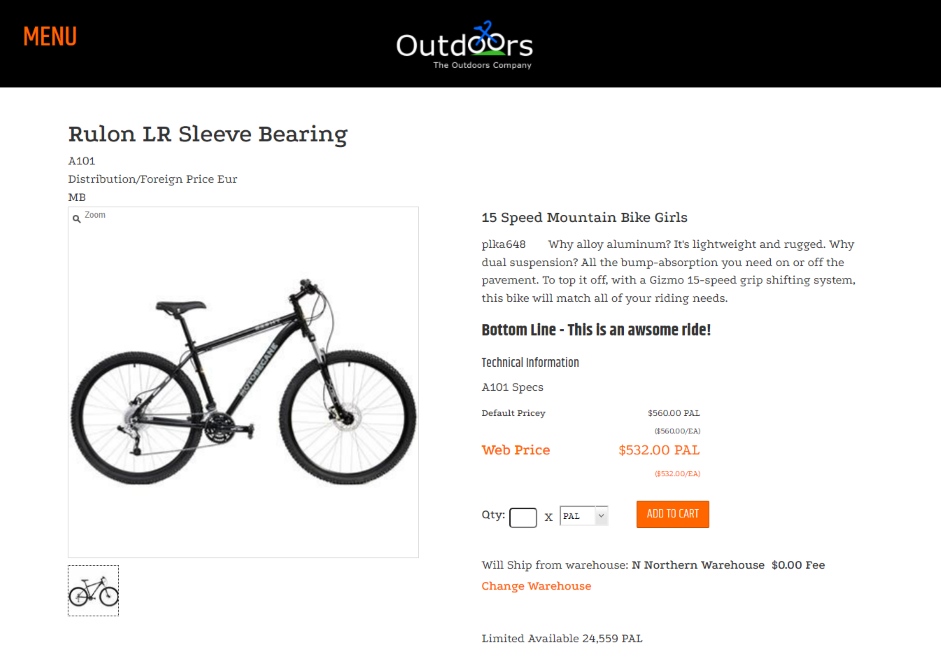
On a configured storefront, the item detail page exposes the current ship-from choice and a control for changing it.
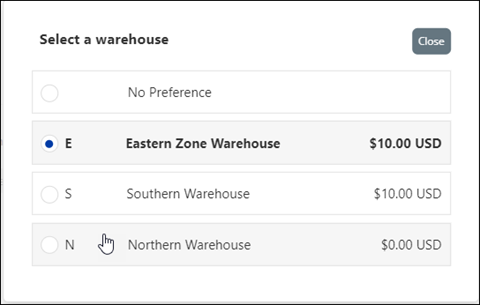
The selection window lists the warehouses available for the item and permits the shopper to retain no preference.
The same selection capability can be presented by Quick Order experiences that support warehouse selection.
Available warehouses
The shopper can select only a warehouse where the item is stocked and that the CyberStore web operator is authorized to access in SYSPRO e.net operator settings. A warehouse excluded from either scope is not offered.
Warehouse selection also affects inventory calculations when Display Inventory Quantity From uses Prevailing Customer/Item Warehouse. See Calculating Item Inventory Quantity.
Surcharge behavior
An item can apply an amount or percentage surcharge when the shopper chooses a warehouse other than the default warehouse produced by CyberStore’s precedence rules. The surcharge can be blended into Web Price or itemized on the order according to configuration. See Item Pricing Settings and Pricing Exclusive to CyberStore.
Validate warehouse selection
Test with a Customer, item, and Account that each has a different warehouse so precedence is visible:
- Confirm the initial selection matches the highest applicable default rule.
- Select another permitted warehouse and confirm the cart retains the choice.
- Select no preference and confirm the line returns to default behavior.
- Confirm unauthorized warehouses and warehouses where the item is not stocked do not appear.
- If a surcharge is configured, verify it applies only when the selected warehouse differs from the default.