CheckOutPrintOrderConfirmation
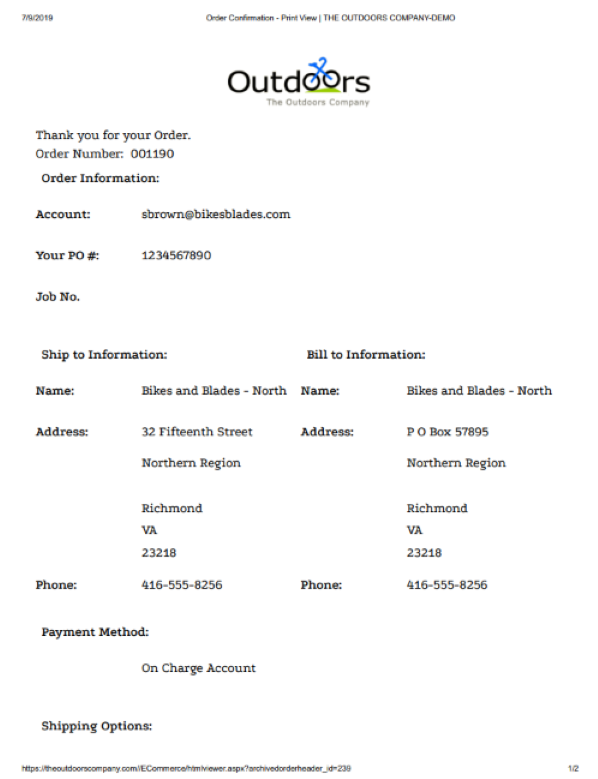
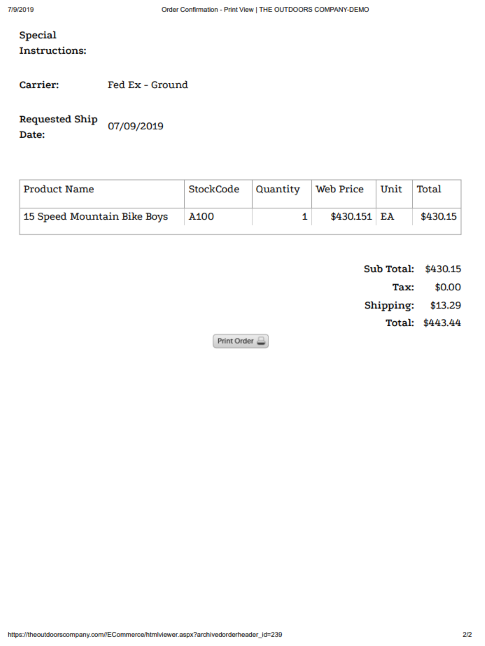
CheckOutPrintOrderConfirmation displays a printable order view after the shopper completes an order.
Confirmation behavior
The control displays a printable order view that the shopper can save for their records. Its default composition includes CheckOutOrderDisplayControl for the order summary.
Configurable properties
| Property | Default | Valid values or format | Effect |
|---|---|---|---|
CustomShippingMessageString | Not specified | Sets a message that describes custom shipping. | |
OrderDisplayNameString | Not specified | Sets the order display name. |
SitePages.config example
The following example loads CheckOutPrintOrderConfirmation.ascx and applies the documented literal defaults. The following properties are omitted because they do not have documented literal defaults: CustomShippingMessage, OrderDisplayName.
<Control src="CheckOutPrintOrderConfirmation.ascx" />
Add this <Control> element to the appropriate page placeholder as described in The SitePages.config File.
Inherited properties
CheckOutPrintOrderConfirmation inherits shared visibility and shopper-access conditions from CyberStoreBaseControl.
Validate the control
- Complete an order with non-production data.
- Confirm the printable order view contains the intended order summary.
- Confirm the configured order display name and custom shipping message.
- Print or save the confirmation using the target browser and verify the output is readable.