Account Settings
Use the Settings tab to control the account’s ordering, visibility, history, and integration behavior.
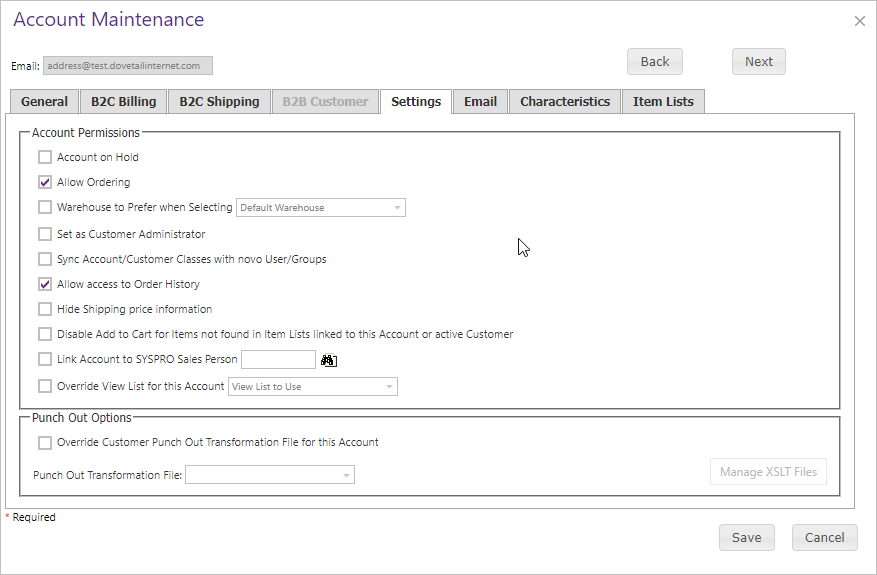
| Setting | Description |
|---|---|
| Account on Hold / Allow Ordering | Controls sign-in and ordering access. |
| Customer Administrator | Makes the account a customer administrator. |
| Order History | B2C accounts see online orders; B2B accounts see all SYSPRO customer orders. |
| Hide Shipping Price | Hides checkout shipping cost. |
| Item List restriction | Prevents purchase of items outside linked Account or Customer Item Lists. |
| Salesperson, View List, PunchOut overrides | Links to a salesperson or overrides default View List and customer transformation file. |
An Account-specific shipping-address permission can grant or restrict maintenance for that Account relative to its Customer Class default. The site-wide A/R Integration setting must also be enabled. See Shipping Address Maintenance for the complete hierarchy.