Managing Item Lists in the Management Console
Site administrators can create and maintain lists for either an Account or a Customer. Choose the owner before creating the list because ownership determines which shoppers can use it and which storefront administrators can change it.
Open the appropriate maintenance area
For an Account-specific list, open Customers > Account Maintenance. For a shared Customer list, open Customers > Customer Maintenance. Add or edit the intended record, then open its Item Lists tab.
The Account grid also provides list-related actions for existing records.
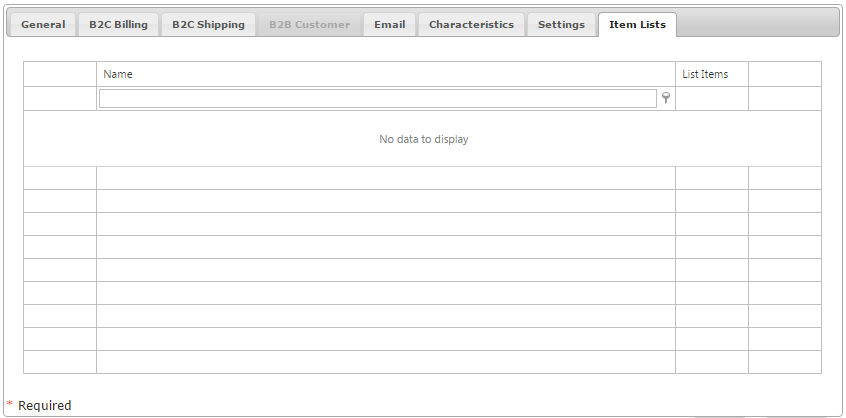
Use the maintenance interface to create a list, change its properties, or delete a list that is no longer needed.
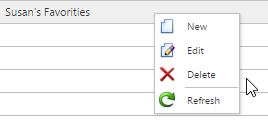
Review and change the contents
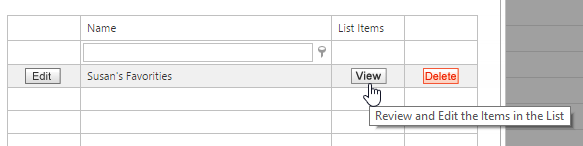
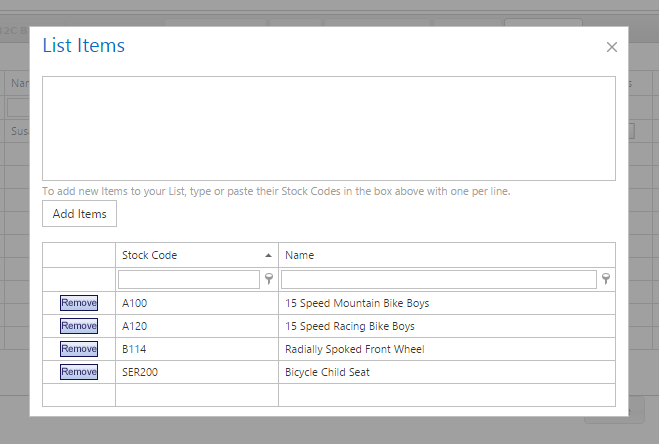
Select View for an Item List to open its stock-code contents. From this view, review the products already in the collection and add or remove items as the intended assortment changes.
For a large addition, use the bulk-entry area instead of adding each item separately. Enter one stock code per line, then select Add Items. A column of stock codes can be copied from Excel and pasted directly into this area.
After maintaining the list, consider the audience that will use it. An Account list is visible only to that Account, while a Customer list affects every linked Account and can also be changed by a Customer Administrator on the storefront.