ProcessPayment_Popup Widget
The ProcessPayment_Popup widget provides the signed-in shopper payment workflow for an eligible invoice. It is used with invoice-payment functionality configured for the site.
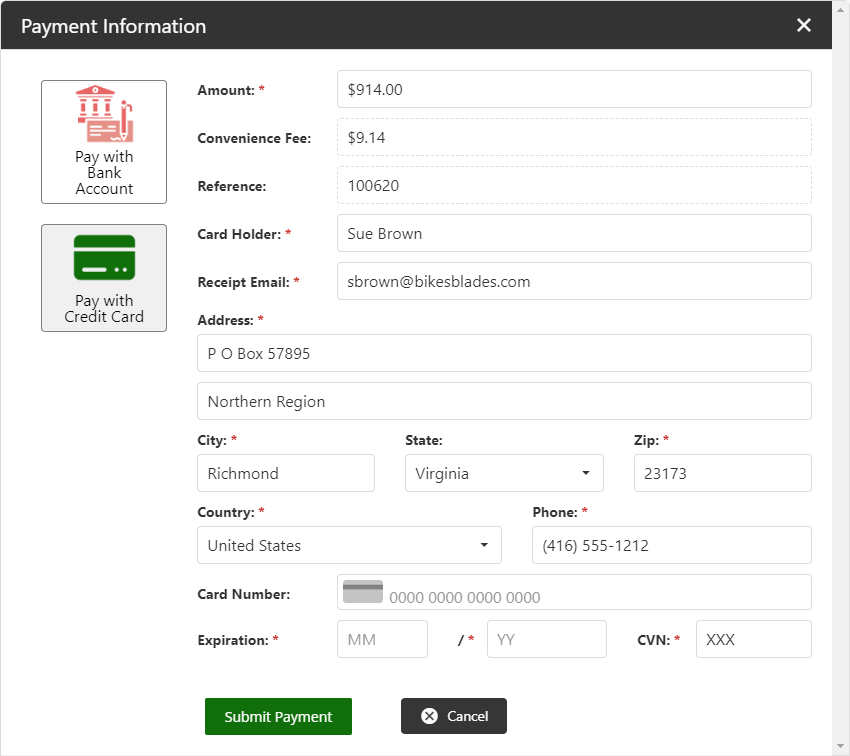
Add the widget to a page
<Control src="LoadWidgetControl.ascx"
    FileLocation="ProcessPayment_Popup.html"
    RequireLogin="true" />
The legacy widget has no documented widget-specific options. Configure available payment methods and invoice-payment behavior in the applicable site settings before exposing this workflow.
Validate the payment workflow
- Sign in with a shopper whose Customer account has an eligible invoice.
- Start payment from the invoice workflow.
- Confirm the available payment methods match the site’s configured payment options.
- Complete a non-production payment test using approved test data.
- Confirm the payment result and invoice status are visible only to the shopper’s Customer account.
For the related invoice list, see BillingHistory_Grid. For payment setup, see Invoice Payment Settings.