Refresh Operator
Use the Refresh Operator Operation to renew CyberStore’s active SYSPRO operator session. The Command is SYSPRORefreshOperator.
This Operation refreshes the application connection without changing which SYSPRO operator CyberStore is configured to use.
Configure the Operation
Open Tools > Operation Center and select Add. On the General tab, enter a meaningful description and choose the SYSPRORefreshOperator Command.
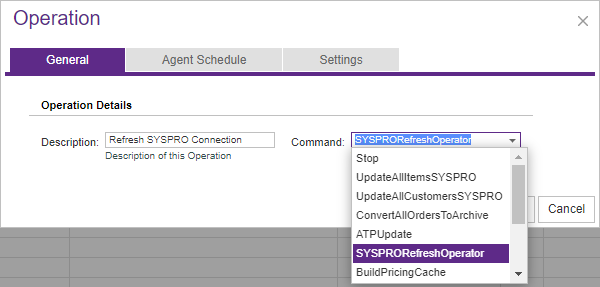
Use Agent Schedule to run the Operation immediately or at a specified date and time. Select the applicable Site on Settings.
This Command does not accept Agent Parameters.
What happens during processing
The Operation Agent refreshes CyberStore’s current SYSPRO connection in three steps:
- It logs out the current SYSPRO operator through e.net.
- It logs the configured operator back in through e.net.
- It captures a new user GUID for the session.
Because the process renews an application-level connection, schedule it with awareness of other CyberStore work that depends on SYSPRO connectivity.
Review the result
After the Operation finishes, review its Summary and Message details in Operation History. A successful result confirms that the logout and login cycle completed and a new session identifier was obtained. Investigate authentication or connectivity errors before relying on later SYSPRO-dependent Operations.