Update Items from SYSPRO
Use the Update Items from SYSPRO Operation to refresh the SYSPRO-owned portion of CyberStore item data. The Command is UpdateAllItemsSYSPRO.
This Operation is useful when many items need an on-demand or scheduled refresh. It can process the whole catalog or be limited to specified Categories, stock codes, or both.
Configure the Operation
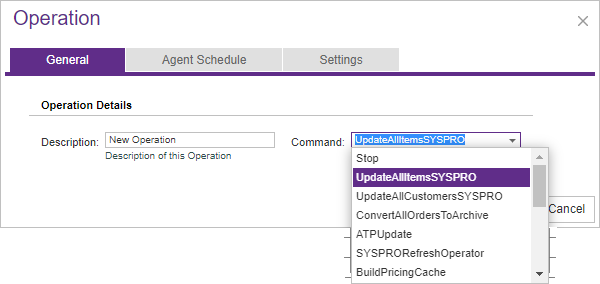
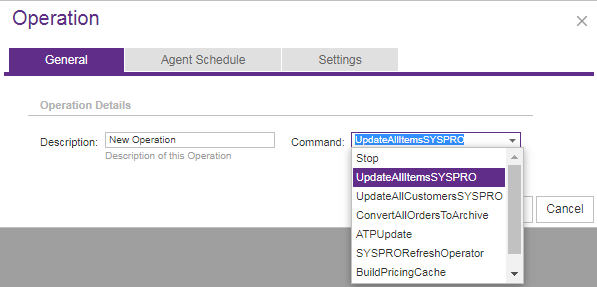
Open Tools > Operation Center and select Add. On the General tab, enter a meaningful description and choose the UpdateAllItemsSYSPRO Command.
Use Agent Schedule to run the Operation immediately or at a specified date and time. Enable recurrence only when the catalog requires a repeated refresh after each previous run completes.
On Settings, select the Site and enter any Agent Parameters needed to limit the work. Leave the scope parameters empty only when every CyberStore item should be refreshed.
Limit the processing scope
The two supported scope parameters can be used separately or together.
| Parameter | Purpose | Example |
|---|---|---|
Categories | Limits processing to items in a comma-separated list of Category paths. Use the part of each Category URL that follows /category/. | Categories: bikes/mountain-bikes, parts |
Items | Limits processing to a comma-separated list of stock codes. Enclose a stock code in single quotes when it begins with a space. | Items: A100, A103, SER200, ' 123456A' |
Enter each parameter type on its own line in Agent Parameters. When both are supplied, the Operation uses the configured values to determine the items in scope.
What happens during processing
The Operation Agent creates an Operation Transaction and processes the selected items one at a time. For each item, CyberStore queries SYSPRO for current stock-code information and updates the corresponding SYSPRO-maintained fields in the CyberStore item record.
Problems encountered during an item’s Transaction Cycle are recorded. When processing completes, Operation Center stores the transaction details, identifies items associated with errors, and sends notifications according to the Operation Center settings.
Once processing begins, the Operation cannot be interrupted through normal Operation Center edit, delete, or agent-stop actions. Confirm the Site and scope before starting a large refresh.
Data refreshed from SYSPRO
The mapping below identifies the CyberStore item fields refreshed from the SYSPRO item query. Other CyberStore-managed content—such as shopper-facing descriptions, images, Characteristics, and item associations—is outside this mapping.
| CyberStore item field | SYSPRO item-query value |
|---|---|
StockCode | StockCode |
Mass | Mass |
Volume | Volume |
Name | Description |
LongDescription2 | LongDesc |
TechnicalInformation | Narrations/TechnicalInformation |
Unit | StockUom |
AltUnit | AlternateUom |
PriceMethod | PriceMethod |
OtherUnit | OtherUom |
AltUnitConversion | ConvFactAltUom |
OtherUnitConversion | ConvFactOthUom |
AltUnitConversionFactor | ConvMulDiv |
OtherUnitConversionFactor | MulDiv |
UserField1 | UserField1 |
UserField2 | UserField2 |
UserField3 | UserField3 |
UserField4 | UserField4 |
UserField5 | UserField5 |
WarehouseToUse | WarehouseToUse |
ProductClass | ProductClass |
KitType | KitType |
SerialMethod | SerialMethod |
TraceableType | TraceableType |
ListPrice | SellingPrice |
ListPriceUOM | PriceBasis |
Review the result
After the Operation finishes, open Operation History and review its Summary and Message details. Investigate any items reported with errors before assuming that the selected scope is fully synchronized.
For the broader synchronization context—including updates triggered by individual item maintenance, Category imports, System Utilities, and storefront processing—see Synchronizing Item Data with SYSPRO.