Settings
Use the Settings tab to override the hot spot appearance defaults configured in Site Manager > Catalog Configuration > Hot Spots for this diagram only.
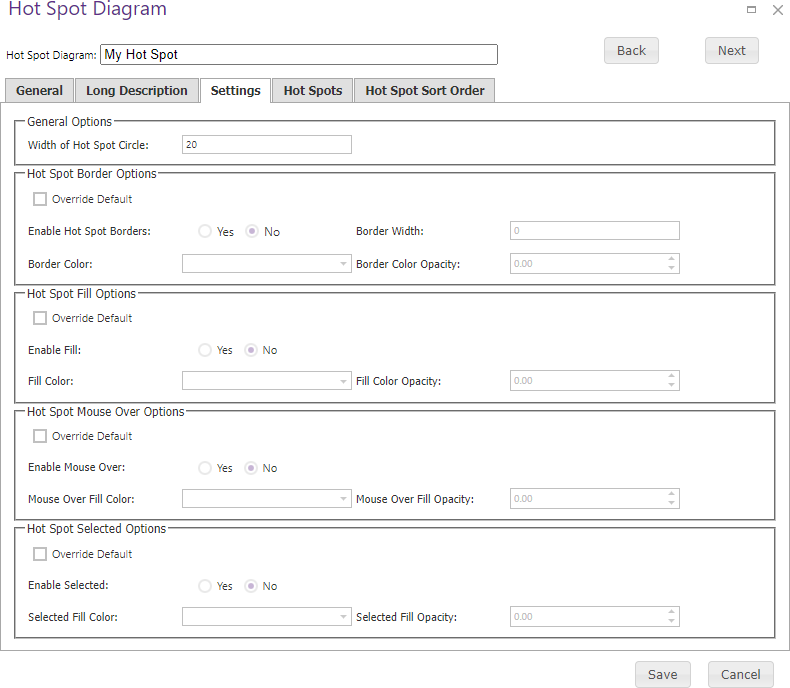
| Setting group | Available controls |
|---|---|
| General Options | Width of Hot Spot Circle sets the hot spot diameter in pixels. |
| Hot Spot Border | Override Default, enable or disable borders, border width, hexadecimal border color, and border opacity (100 fully opaque; 0 transparent). |
| Hot Spot Fill | Override Default, enable or disable fill, hexadecimal fill color, and fill opacity. |
| Hot Spot Mouse Over | Override Default, enable or disable mouse-over fill, hexadecimal mouse-over fill color, and fill opacity. |
| Hot Spot Selected | Override Default, enable or disable selected fill, hexadecimal selected-fill color, and fill opacity. |
Select Override Default for a setting group before applying that diagram’s values, then save the diagram.