Email Settings
Use the Email tab in Site Manager > Site Configuration to control site-level email content and notification behavior.
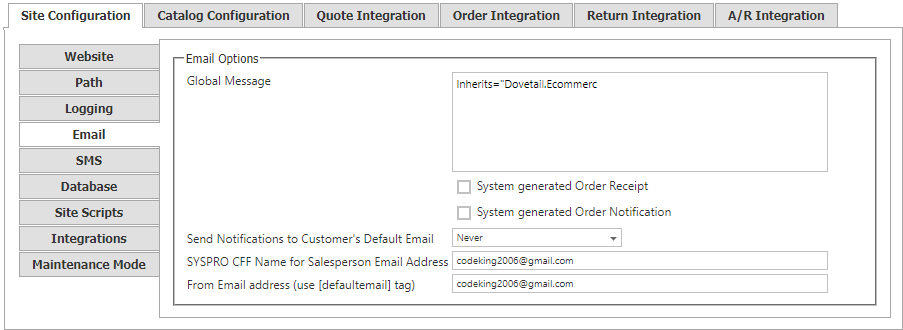
Email options
| Setting | Description |
|---|---|
| Global Message | Text included in an email body by using the [global] replacement tag. Use it for content such as a disclaimer or a marketing message that should appear in every applicable email. |
| System Generated Order Receipt | Sends an email receipt to shoppers after an order is placed. |
| System Generated Order Notification | Sends an internal email alert after an order is placed. |
| Send Notifications to Customer’s Default Email | Determines whether CyberStore also sends customer notifications when system emails are sent. Choose Never (the default), Always, or When Logged in as All Customer Account. The last option sends the notification only when the signed-in shopper’s account is an All Customer Account. |
| SYSPRO CFF Name for Salesperson Email Address | Identifies the SYSPRO location that contains the salesperson’s email address. Complete this setting when using salesperson order-email alerts. |
SMTP server settings
Email-server connection settings are application-wide rather than site-specific. Configure them in Application Settings, under Communications Settings.
Site Manager changes take effect immediately. A confirmation mark appears next to the changed field and disappears when the change is saved.