Item and Category Images
Images help shoppers recognize products, understand Categories, and inspect details that descriptions alone may not convey. CyberStore image content is maintained independently of SYSPRO and uploaded directly to the site.
The right image type depends on where and how the image should be used.
Featured item images
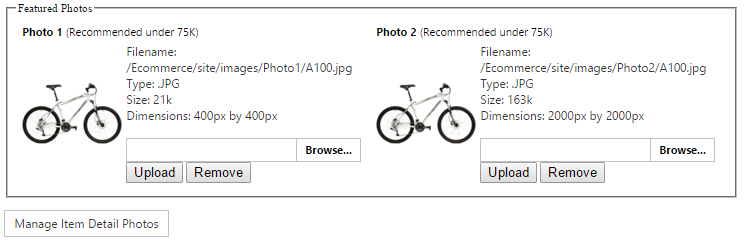
Each item can use up to two featured images, Photo1 and Photo2. A site might use Photo1 as a Category-page thumbnail and Photo2 as a larger item-page image, or consistently use one featured image throughout the storefront.
Featured images are stored in the site image path configured in Site Manager > Site Configuration > Paths, within the Photo1 and Photo2 folders. Their filenames match the item stock code, using .png, .jpg, or .gif files.
Open the item’s image action from Item Maintenance to manage its images.
Item-detail images
Item-detail images provide richer product presentation and can support multiple views and zoom. They are stored beneath the configured Item Detail directory in a folder named for the stock code.
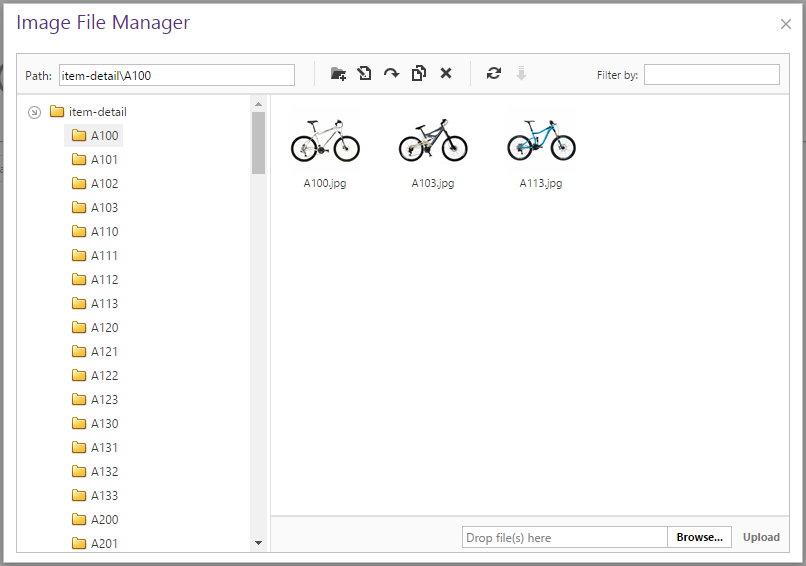
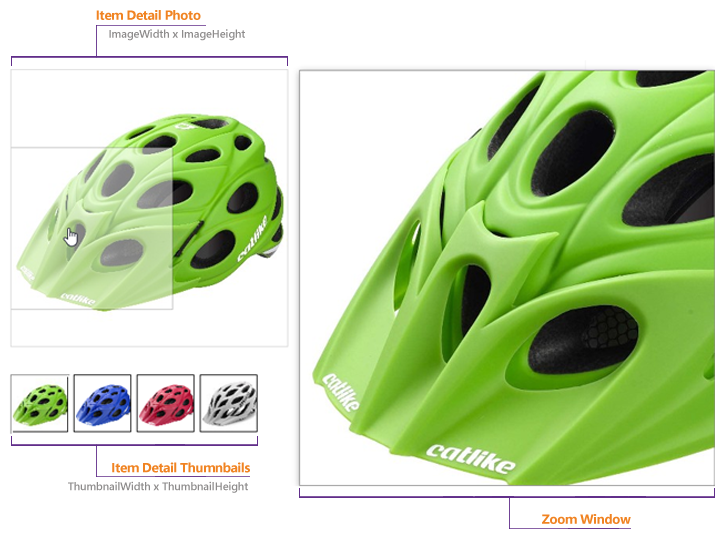
When image zoom is enabled and an item-detail folder contains images, those images override the featured image on the item-detail page. Uploading several images associates all of them with that item, allowing the shopper to move among different views.
A zoom image must be larger than its displayed size. CyberStore creates the needed display derivatives from the uploaded source, so only one sufficiently large source image is required for each view.
For bulk work, item-detail files can also be placed in the appropriate stock-code folders through Content Editor, FTP, or direct file access when those methods are available to the administrator.
Category images
A Category image represents a collection rather than one orderable item. Choose an image that helps shoppers anticipate the Category’s contents and works with its title, description, and subcategory structure.
Maintain these images through Category Maintenance. They can support conventional Category listings, visual landing pages, or image-based navigation depending on the site design.
Theming and slider images
Some site images are neither item nor Category content. Logos and other thematic images belong in the theme’s image directory through Content Editor. Slider or before-and-after images should be kept in a dedicated directory appropriate to the component that displays them.
After choosing each image’s role, use Preparing Images to determine the source format, dimensions, compression, and filename.