WarehouseShipFrom_Display Widget
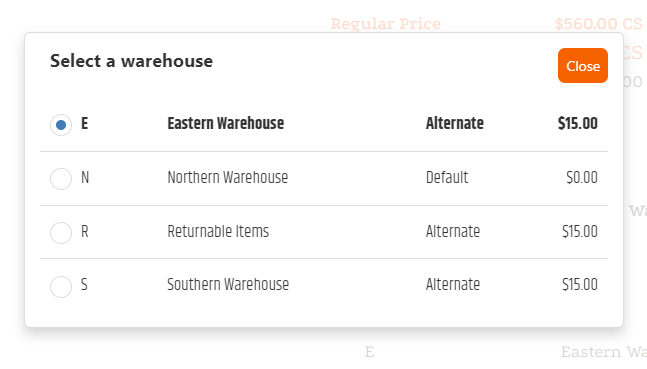
The WarehouseShipFrom_Display widget shows the warehouse from which an item will ship. When warehouse selection is enabled for the shopper’s Customer Class, it can also present available ship-from warehouses.
If warehouse-selection surcharges are configured for an item or category, selecting a non-default warehouse can add a fee to the order.
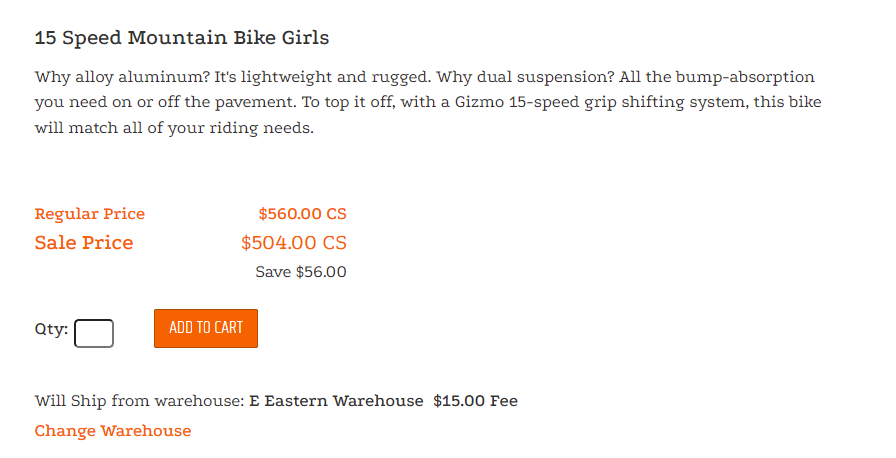
Add the widget to an item page
<Control src="LoadWidgetControl.ascx"
    FileLocation="WarehouseShipFrom_Display.html" />
Use this widget with the applicable item-detail and pricing controls. The legacy widget has no documented widget-specific options.
Validate warehouse selection
- Open an item that has a configured ship-from warehouse.
- Confirm the displayed warehouse matches the item configuration.
- For a Customer Class with warehouse selection enabled, choose an available warehouse.
- When configured, confirm the selected warehouse surcharge is reflected in the order total.