Account_CreateCustomer Widget
The Account_CreateCustomer widget lets a visitor provide registration information, create a login, and create a new on-file Customer from the configured template customer.
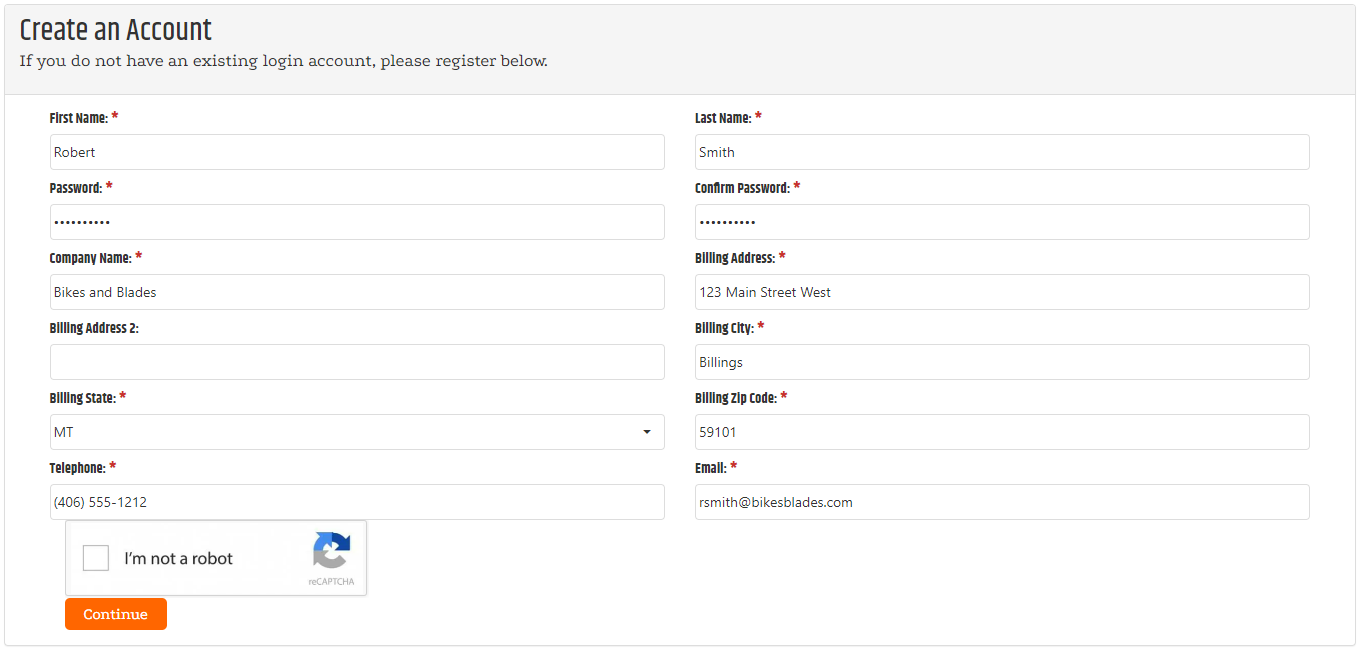
Registration behavior
When the visitor completes registration, CyberStore creates the Customer from the Template Customer configured in Site Manager. For numeric customer numbers, CyberStore uses the next available number. For alphanumeric customer numbers, CyberStore uses the registration phone number with the masking configured in SYSPRO Configuration.
Configure the template customer and permitted registration types in Website Settings.
Add the widget to a page
Load the widget from SitePages.config and allow visitors to reach the registration page without signing in.
<Control src="LoadWidgetControl.ascx"
    FileLocation="Account_CreateCustomer.html"
    RequireLogin="false"
    Options="reCaptchaSiteKey: 'your-public-site-key',
        reCaptchaTheme: 'light',
        redirectPage: 'CustomerMyAccount.aspx'" />
For page and placeholder structure, see Using Widgets and The SitePages.config File.
Widget options
| Option | Default | Valid values or format | Effect |
|---|---|---|---|
reCaptchaSiteKeyString | Not specified | Public reCAPTCHA site key | Supplies the public key used by the registration verification check. |
reCaptchaThemeString | 'light' | 'light', 'dark' | Sets the theme for the verification check. |
redirectPageString | 'CustomerMyAccount.aspx' | Site-relative page path | Sets the page loaded after registration completes. |
Maintain the reCAPTCHA site key and related integration settings in Site Configuration Integrations. Do not place a private reCAPTCHA key in SitePages.config.
Validate registration
- Confirm the selected registration type permits the intended visitor registration path.
- Register a test visitor and complete the verification check.
- Confirm the new login can sign in.
- Confirm the new Customer uses the intended template-customer defaults.
- Confirm the post-registration page matches
redirectPage.