PricingControl
PricingControl is the base control for child controls that display catalog prices. It extends ItemControl with shared pricing, add-to-cart, label, visibility, and style behavior.
Binding and behavior
| Property | Default | Valid values or format | Effect |
|---|---|---|---|
Item_IDInteger | Not specified | Identifies the item being priced. | |
StockCodeString | Not specified | Identifies the item being priced. | |
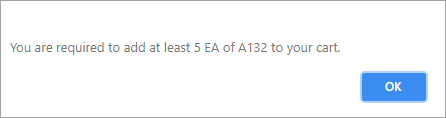
AddToCartMinimumQuantityInteger | Not specified | Requires the minimum quantity before an item can be added to the cart. | |
SavingsMessageCalcBasisString | Not specified | Sets the basis used to calculate the savings message. | |
AddToCartGraphicPathString | Not specified | Specifies the graphic used for the add-to-cart action. | |
OnSaleGraphicPathString | Not specified | Specifies the graphic used for an on-sale indicator. | |
AddToCartMinimumRequiredNot specified | Not specified | Gets or sets the add to cart minimum required. | |
CustomerPriceCSSClassString | Not specified | Gets or sets the customer price CSS class. | |
DefaultPriceCSSClassString | Not specified | Gets or sets the default price CSS class. | |
DiscountPriceCSSClassString | Not specified | Gets or sets the discount price CSS class. | |
DiscountTextString | Not specified | Gets or sets the discount text. Obsolete . Use SavingsMessage instead. | |
ListPriceLabelTextString | Not specified | Gets or sets the text of the “List Price Label”. Obsolete . Use DefaultPriceLabelText instead. | |
MinimumRequiredInteger | Not specified | Gets or sets the minimum required. Obsolete . Use AddToCartMinimumQuantity instead. | |
OnSaleGraphicCSSClassString | Not specified | Gets or sets the on sale graphic CSS class. | |
QtyInputLabelTextString | Not specified | Gets or sets the qty input label text. Introduced in v2.18.4 . | |
SalePriceLabelTextString | Not specified | Gets or sets the text of the “Sale Price Label”. Obsolete . Use WebPriceLabelText instead. | |
SavingsMessageCSSClassString | Not specified | Gets or sets the savings message CSS class. | |
ShowQtyInputLabelBoolean | Not specified | true, false | Gets or sets a value indicating whether the qty input label is shown. Introduced in v2.18.4 . |
ShowSalePriceBoolean | Not specified | true, false | Gets or sets a value indicating whether the “Sale Price” is shown. Obsolete . Use ShowWebPrice instead. |
ShowYouSavedPriceBoolean | Not specified | true, false | Gets or sets a value indicating whether “You Saved Price” is shown. Obsolete . Use ShowSavingsMessage instead. |
WebDiscountedCSSClassString | Not specified | Gets or sets the web discounted CSS class. | |
WebPriceCSSClassString | Not specified | Gets or sets the web price CSS class. | |
YourPriceLabelTextString | Not specified | Gets or sets the text of the “Your Price Label”. Obsolete . Use CustomerPriceLabelText instead. | |
YouSavedLabelTextString | Not specified | Gets or sets the text of the “You Saved Label”. Obsolete . Use SavingsMessageLabelText instead. |
Visibility and labels
| Property | Default | Valid values or format | Effect |
|---|---|---|---|
ShowOnlyPricingBoolean | Not specified | true, false | Displays price information without other control elements. |
ShowOnSaleGraphicBoolean | Not specified | true, false | Controls whether the on-sale graphic appears. |
ShowPricePerUnitBoolean | Not specified | true, false | Controls whether price per unit appears. |
ShowSavingsMessageBoolean | Not specified | true, false | Controls whether the savings message appears. |
ShowUOMBoolean | Not specified | true, false | Controls whether the unit of measure appears. |
ShowWebPriceBoolean | Not specified | true, false | Controls whether the web price appears before the cart. |
AddToCartButtonTextString | Not specified | Sets the add-to-cart button text. | |
DefaultPriceLabelTextString | Not specified | Sets the default-price label. | |
CustomerPriceLabelTextString | Not specified | Sets the customer-price label. | |
DiscountPriceLabelTextString | Not specified | Sets the discount-price label. | |
WebPriceLabelTextString | Not specified | Sets the web-price label. | |
SavingsMessageLabelTextString | Not specified | Sets the savings-message label. | |
SavingsMessageString | Not specified | Sets the savings message. | |
PricePerUnitDisplayTextString | Not specified | Sets the price-per-unit display text. |
SitePages.config example
The following example loads PricingControl.ascx and applies the documented literal defaults. The following properties are omitted because they do not have documented literal defaults: Item_ID, StockCode, AddToCartMinimumQuantity, SavingsMessageCalcBasis, AddToCartGraphicPath, OnSaleGraphicPath, AddToCartMinimumRequired, CustomerPriceCSSClass, DefaultPriceCSSClass, DiscountPriceCSSClass, DiscountText, ListPriceLabelText, MinimumRequired, OnSaleGraphicCSSClass, QtyInputLabelText, SalePriceLabelText, SavingsMessageCSSClass, ShowQtyInputLabel, ShowSalePrice, ShowYouSavedPrice, WebDiscountedCSSClass, WebPriceCSSClass, YourPriceLabelText, YouSavedLabelText, ShowOnlyPricing, ShowOnSaleGraphic, ShowPricePerUnit, ShowSavingsMessage, ShowUOM, ShowWebPrice, AddToCartButtonText, DefaultPriceLabelText, CustomerPriceLabelText, DiscountPriceLabelText, WebPriceLabelText, SavingsMessageLabelText, SavingsMessage, PricePerUnitDisplayText.
<Control src="PricingControl.ascx" />
Add this <Control> element to the appropriate page placeholder as described in The SitePages.config File.
Style properties
DefaultPriceCSSClass, CustomerPriceCSSClass, DiscountPriceCSSClass, OnSaleGraphicCSSClass, WebPriceCSSClass, and WebDiscountedCSSClass add CSS classes to their corresponding pricing elements.
The legacy source does not establish defaults or supported combinations for these properties. Use only values supported by the configured pricing control and site theme.
Inherited properties
PricingControl inherits item-type visibility conditions from ItemControl and shared visibility and shopper-access conditions from CyberStoreBaseControl.
Validate the control
- Configure a pricing child control for an item with the relevant price types.
- Confirm the configured price labels, visibility settings, and savings-message basis.
- Test the minimum quantity before adding the item to the cart.
- Confirm configured graphics and CSS classes resolve in the target site theme.